【2018 安溥anpu《煉雲》台北小巨蛋演唱會】 ibon (快捷鍵)購票流程
購/取票流程僅供參考,不代表實際購買情況
-
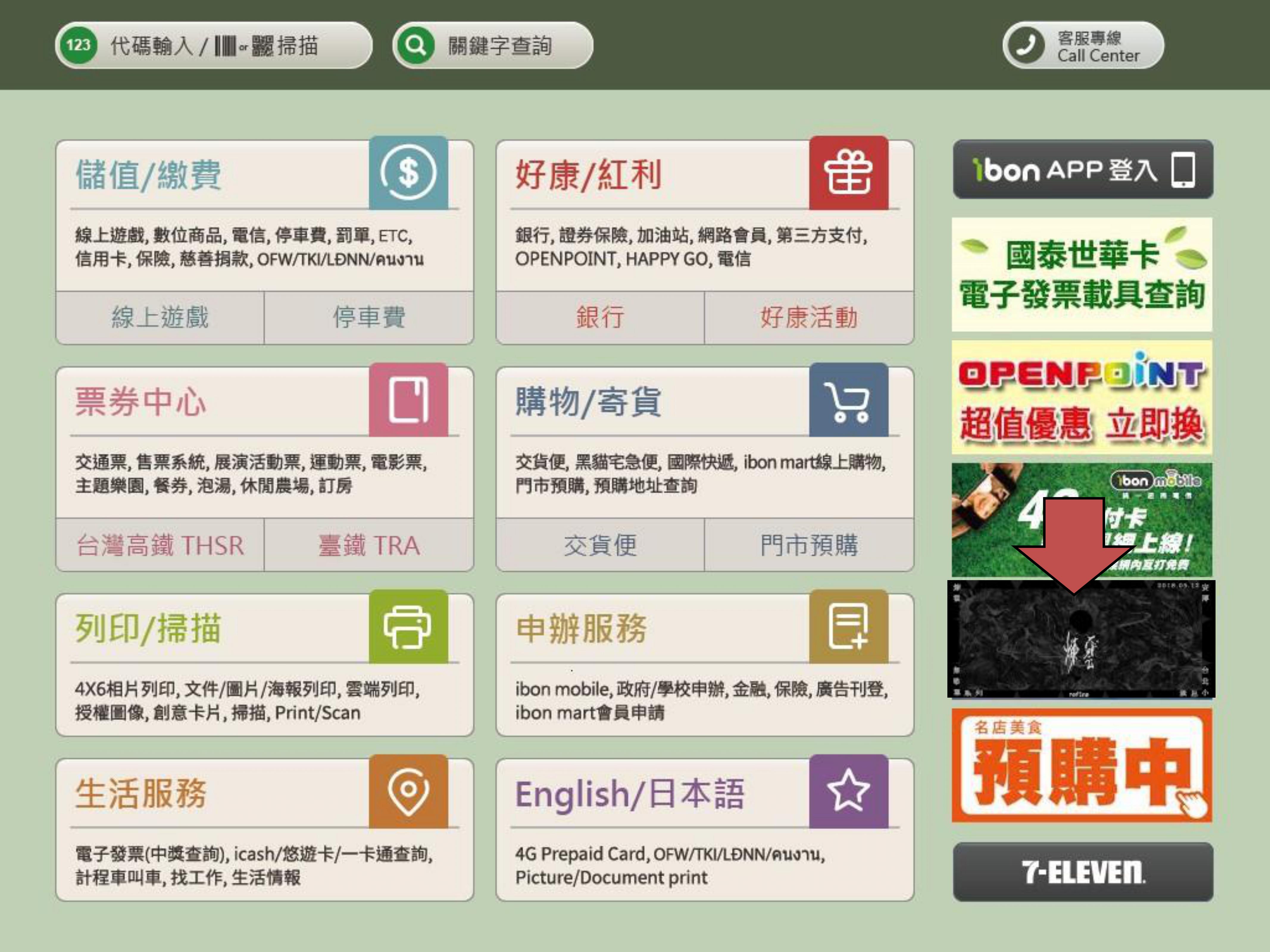
步驟1.點選快捷鍵
Step 1.Click Hot Key
-
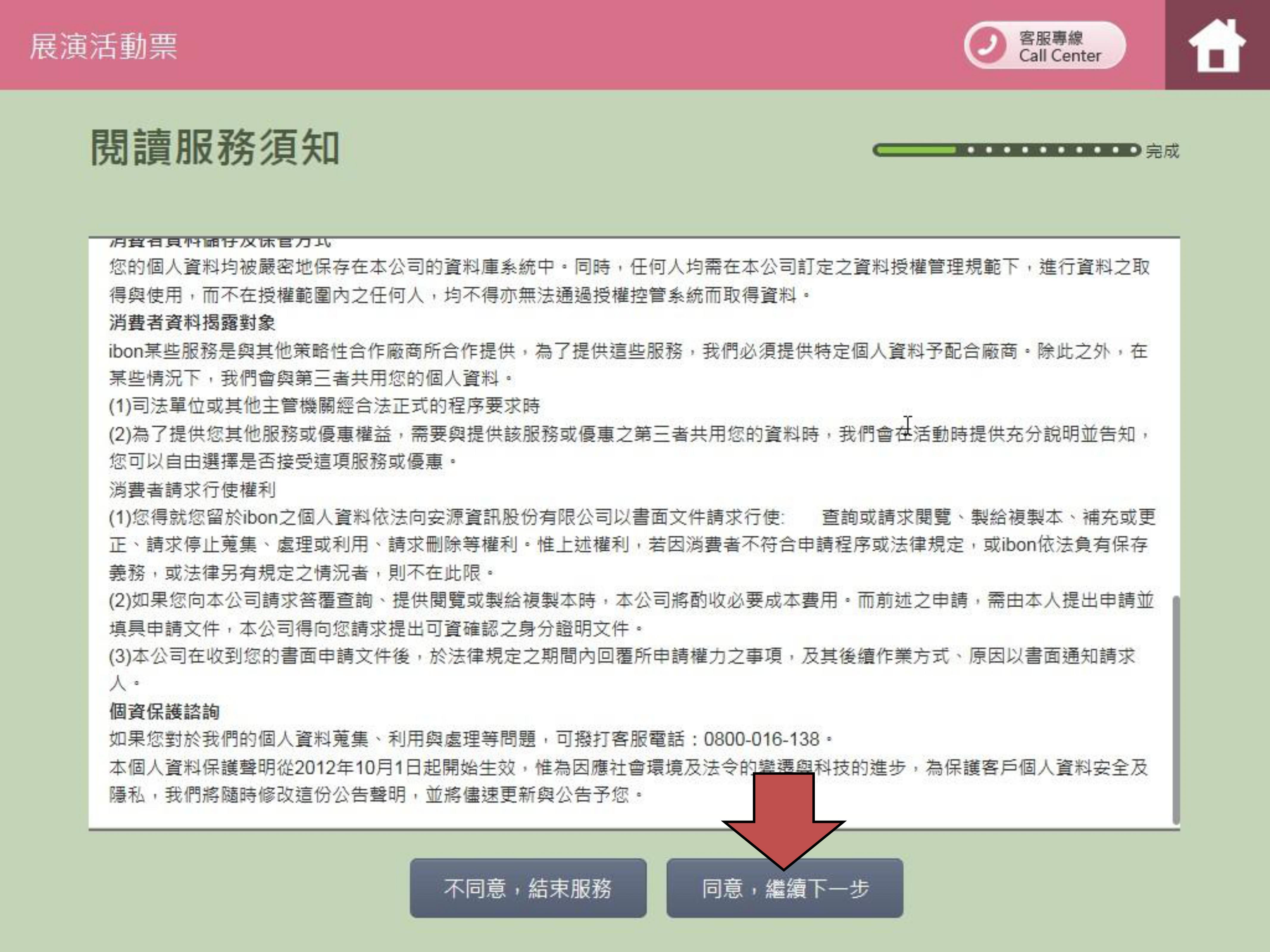
步驟2.閱讀並確認購票須知
Step 2.Read and confirm Ticket Notice
-
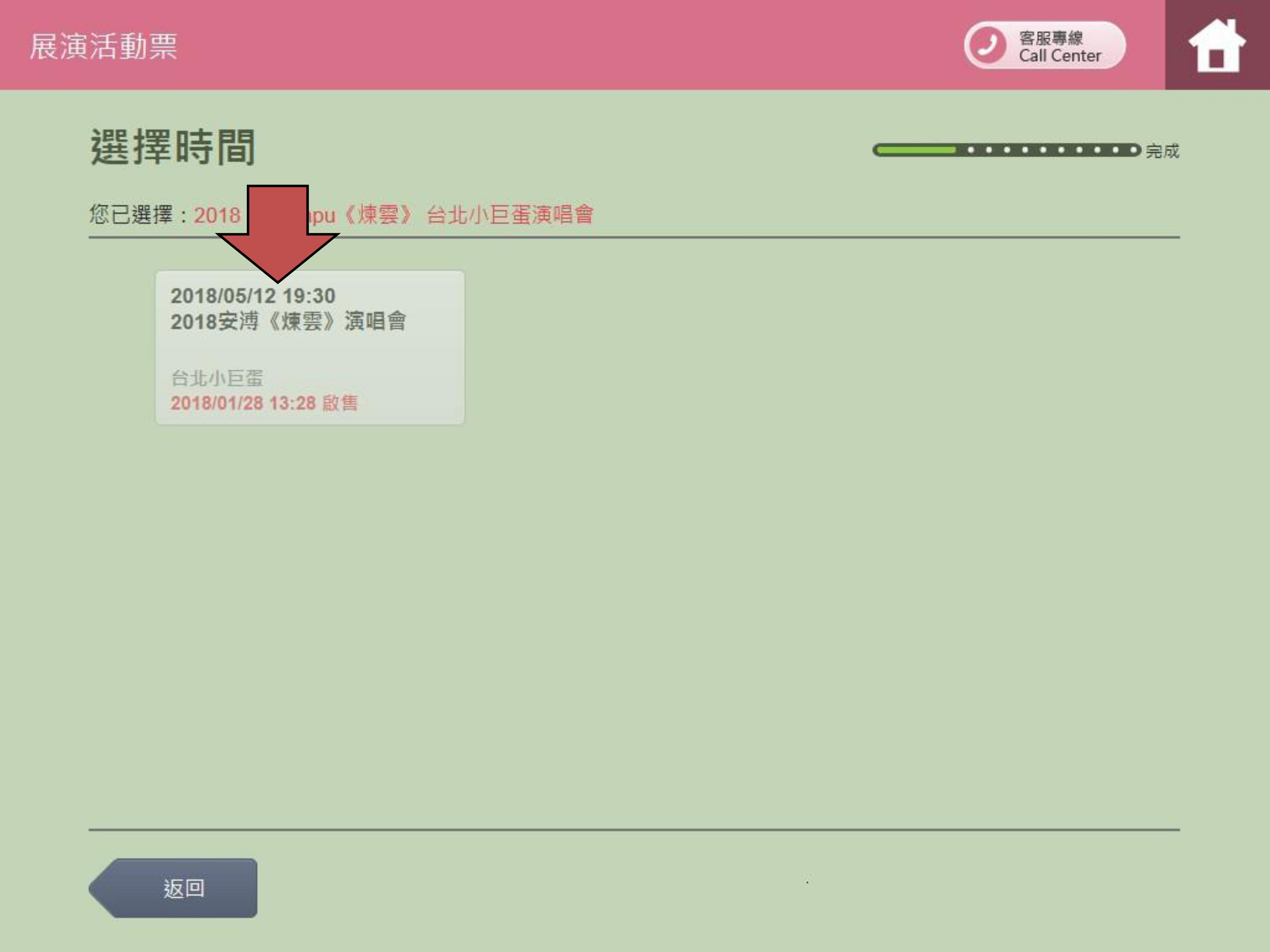
步驟3.選擇日期及場次
Step 3.Select date and sessions
-
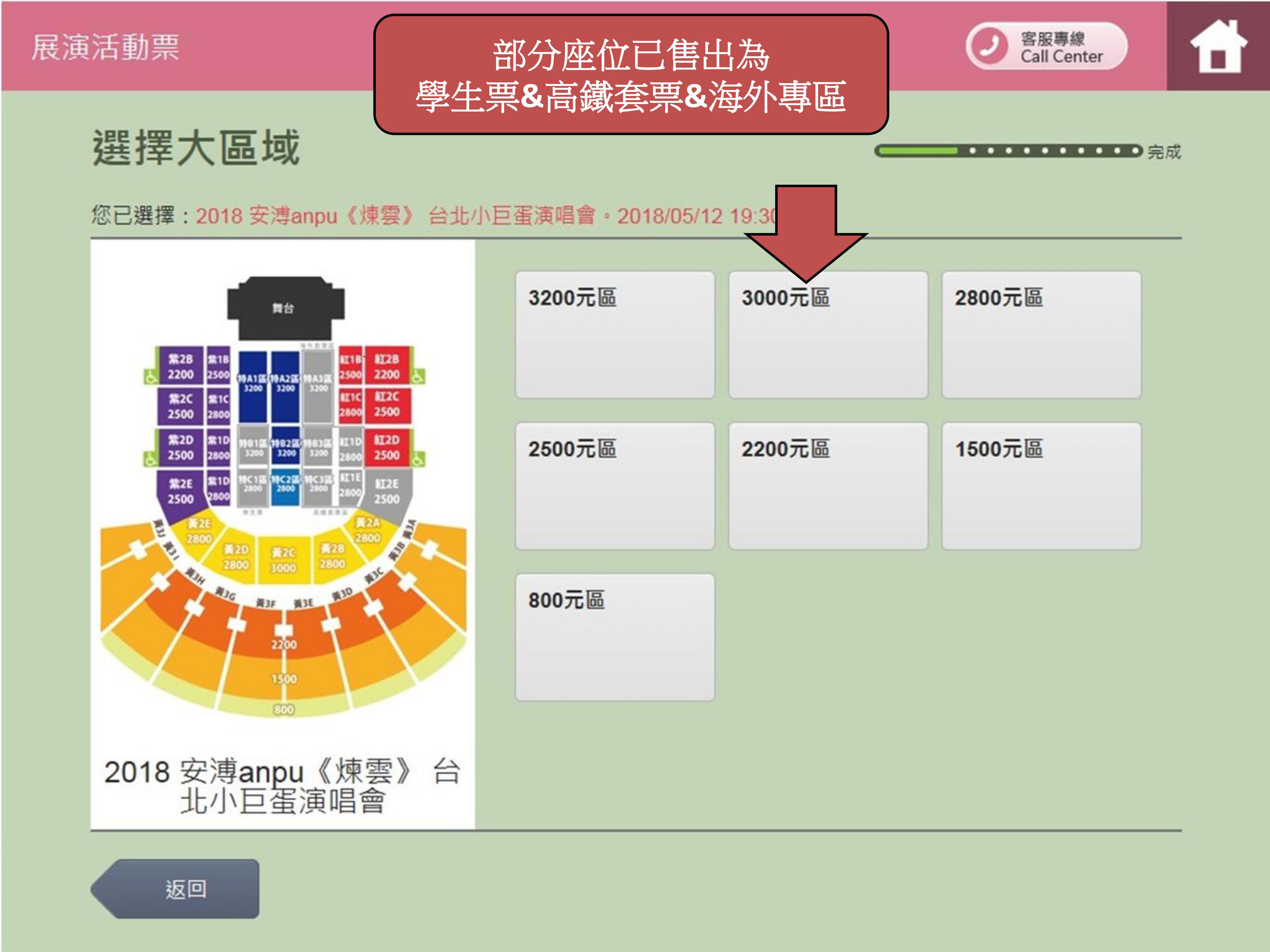
步驟4.選擇大區域
Step 4.Select a big area
-
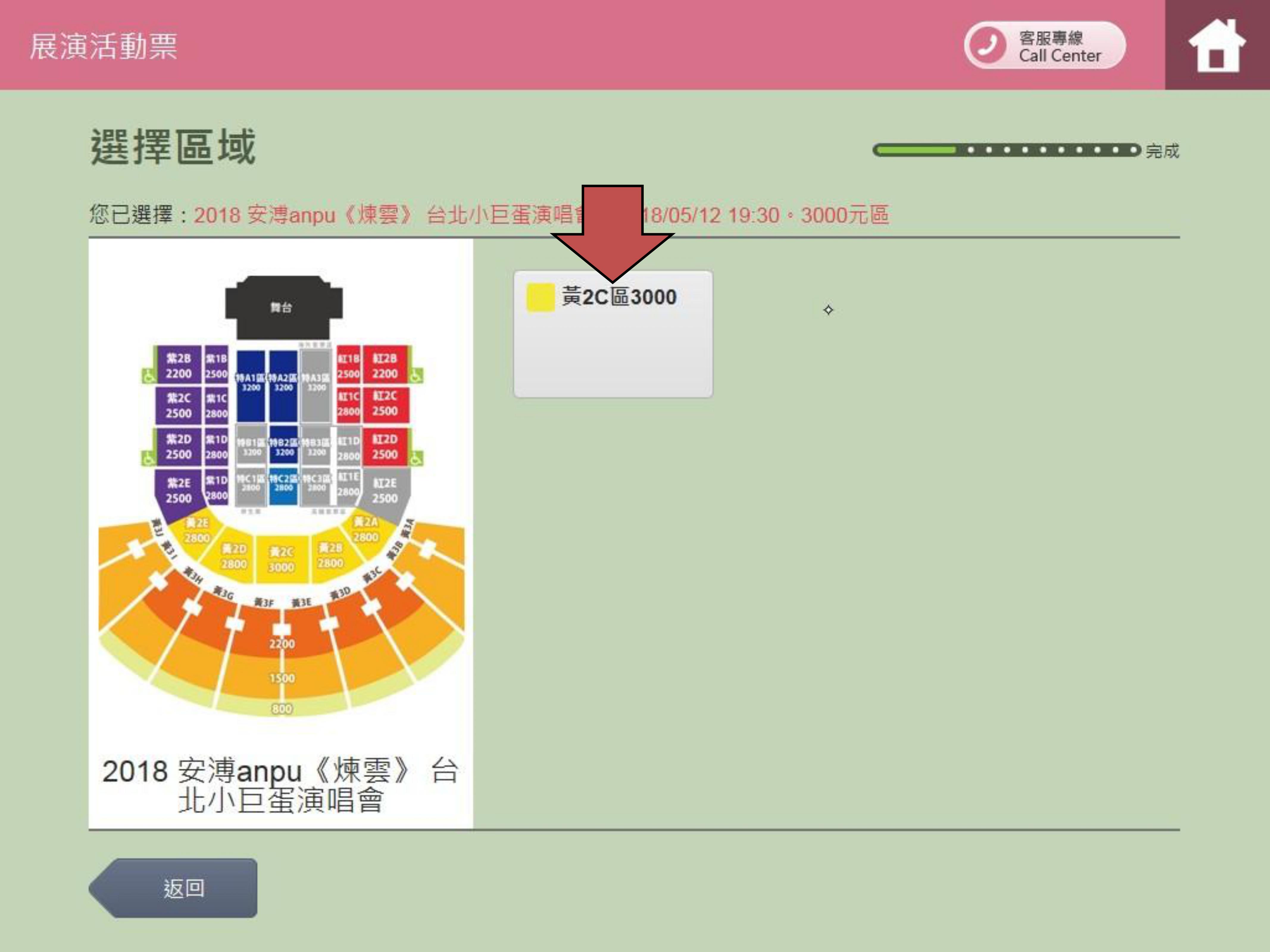
步驟5.選擇區域
Step 5.Select an area
-
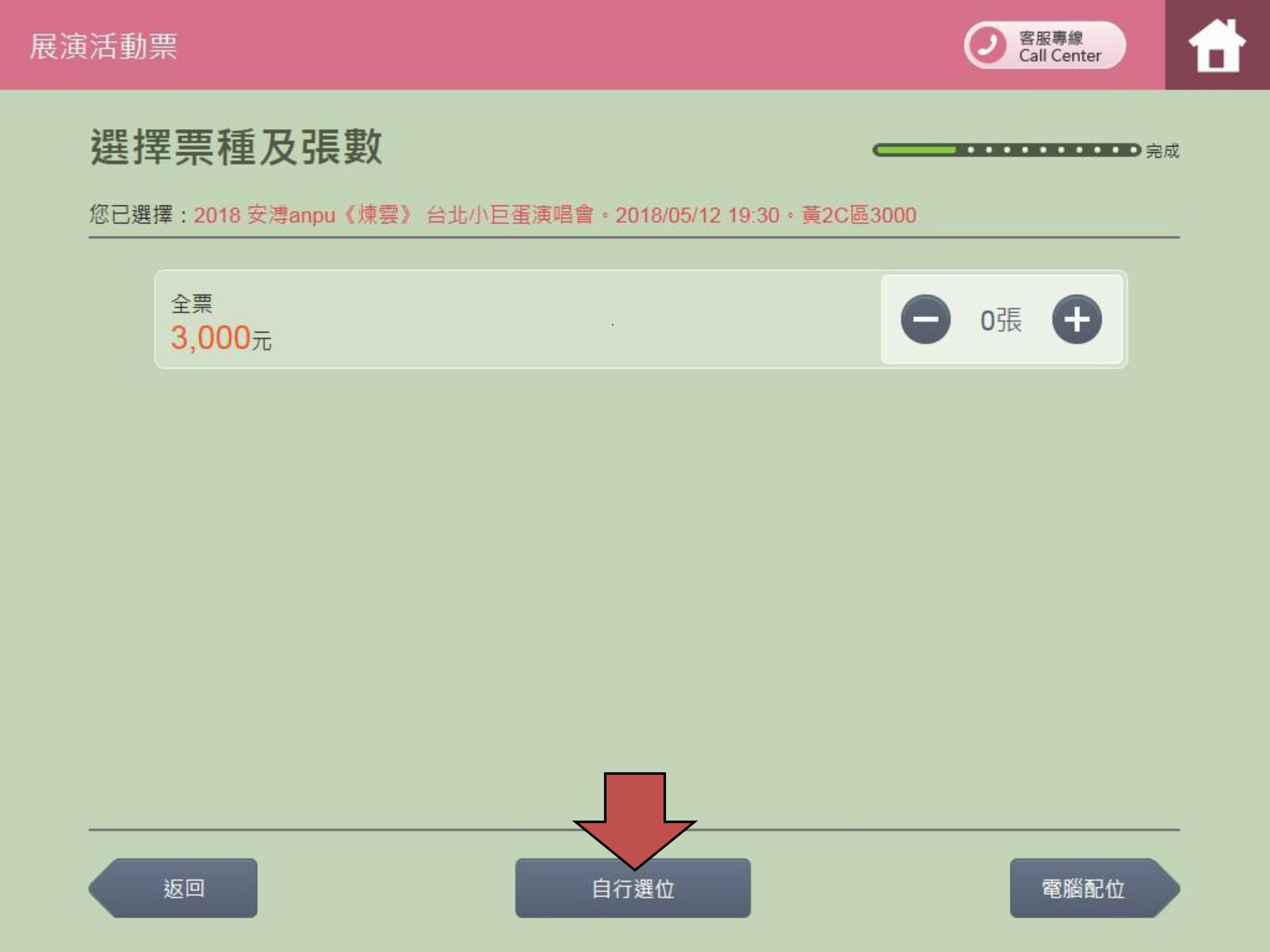
步驟6A-1.自行選位:選擇張數
Step 6A-1.Select seat by yourself:Select the number of tickets
-
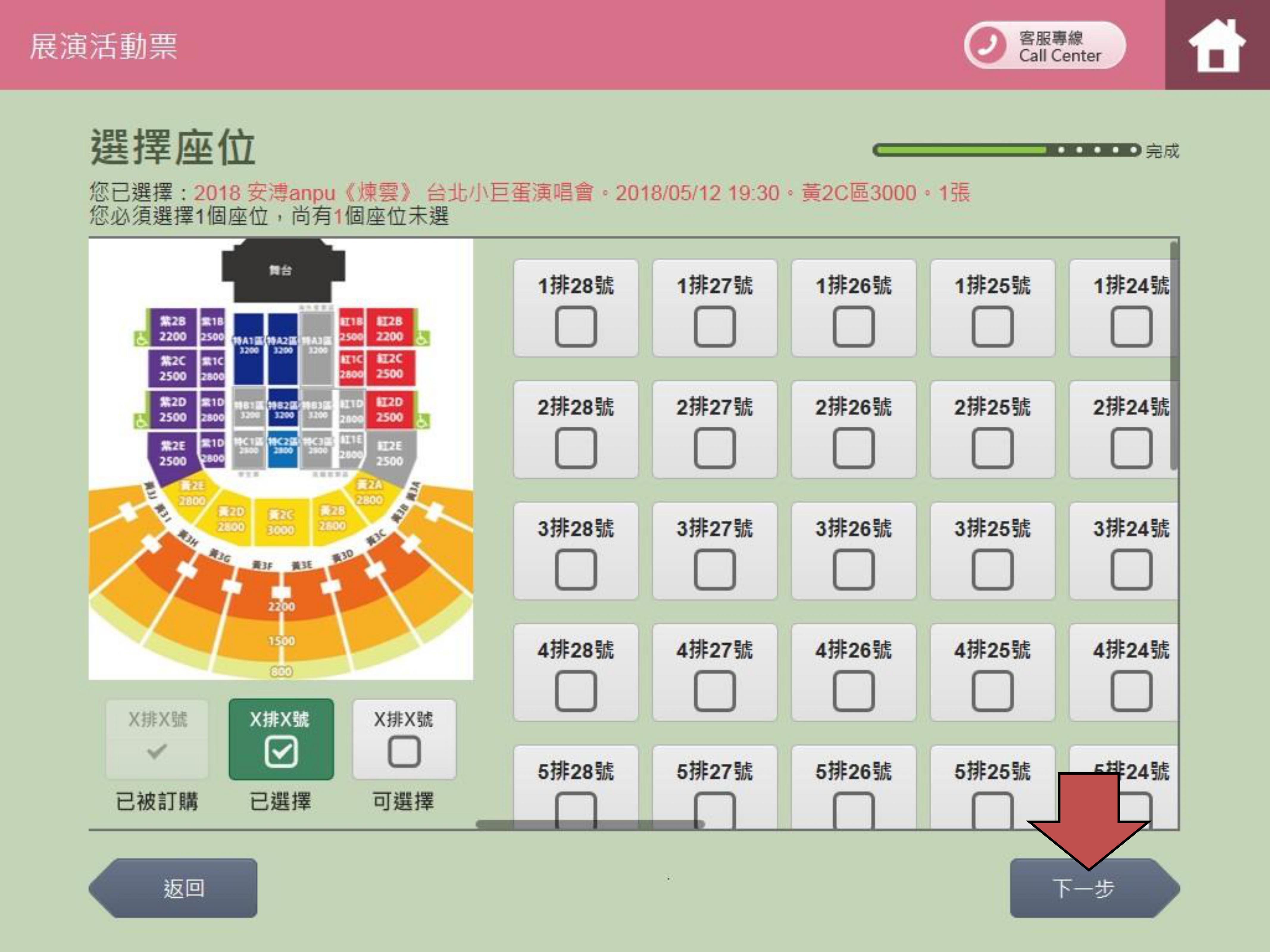
步驟6A-2.自行選位:依照選擇張數點選座位
Step 6A-2.Select seat by yourself:According to the quantity of
tickets to select rows and columns
-
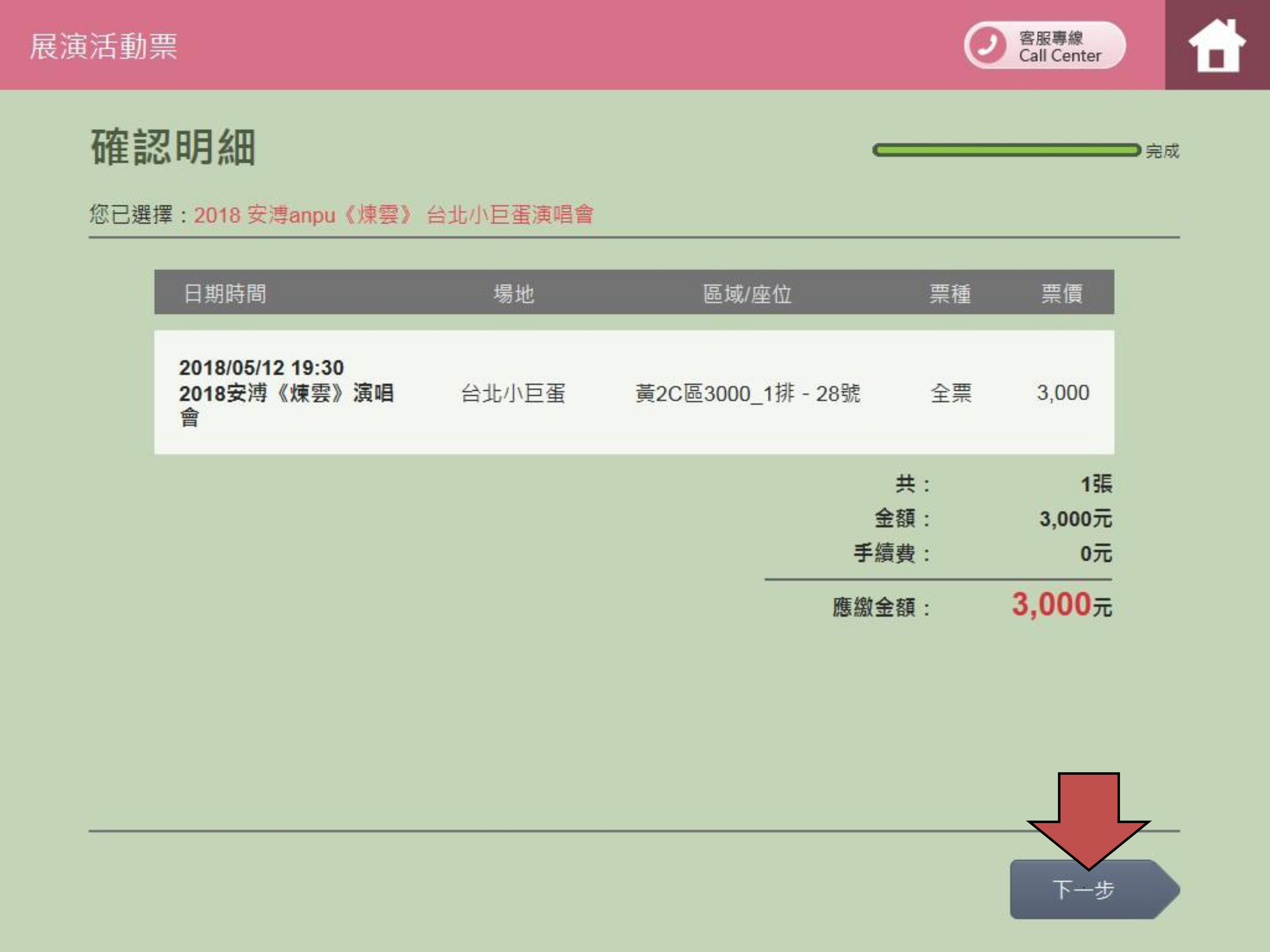
步驟7.確認明細
Step 7.Check all of the tickets data
-
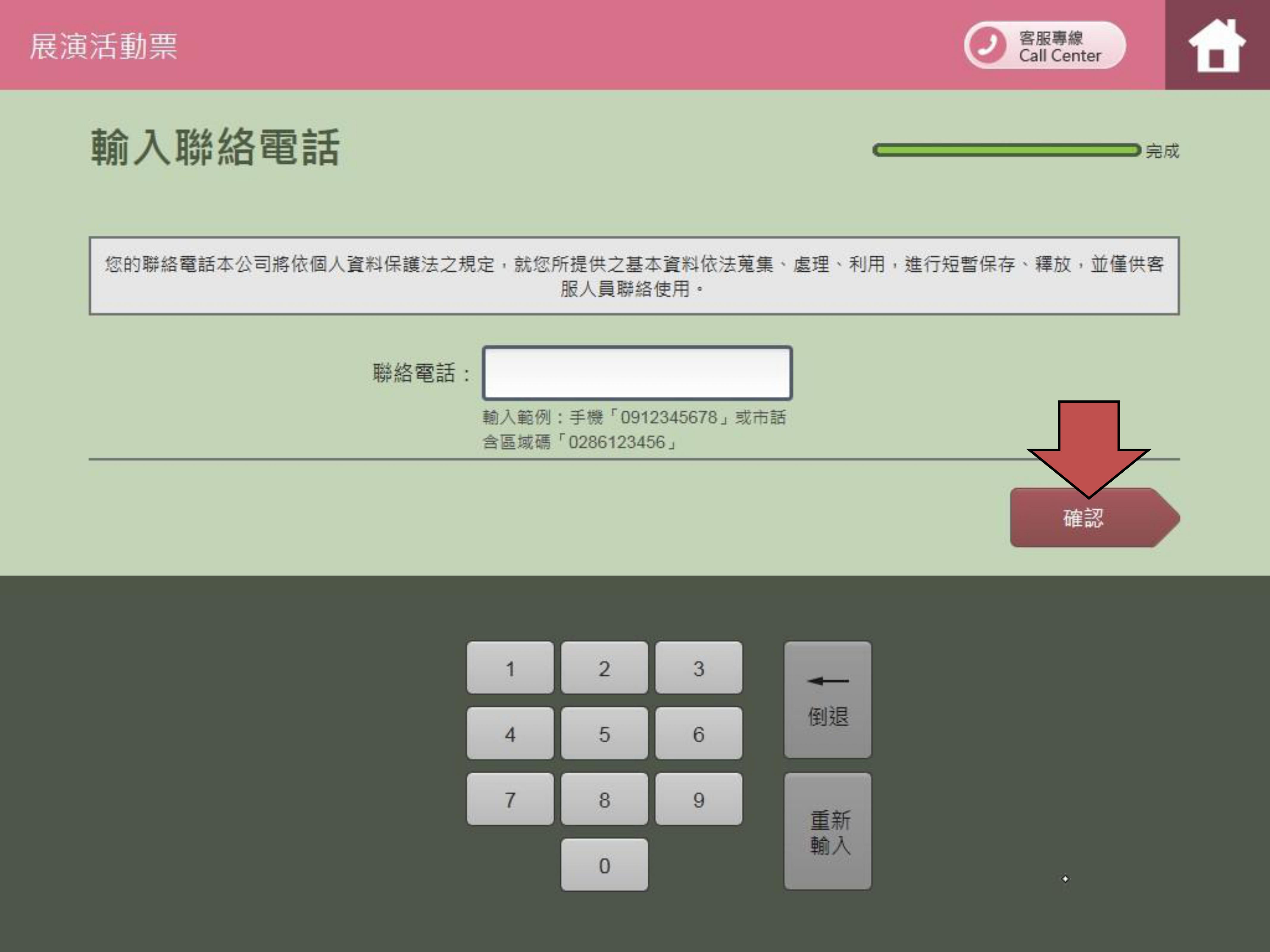
步驟8.輸入您的聯絡電話
Step 8.Enter your contact phone
-
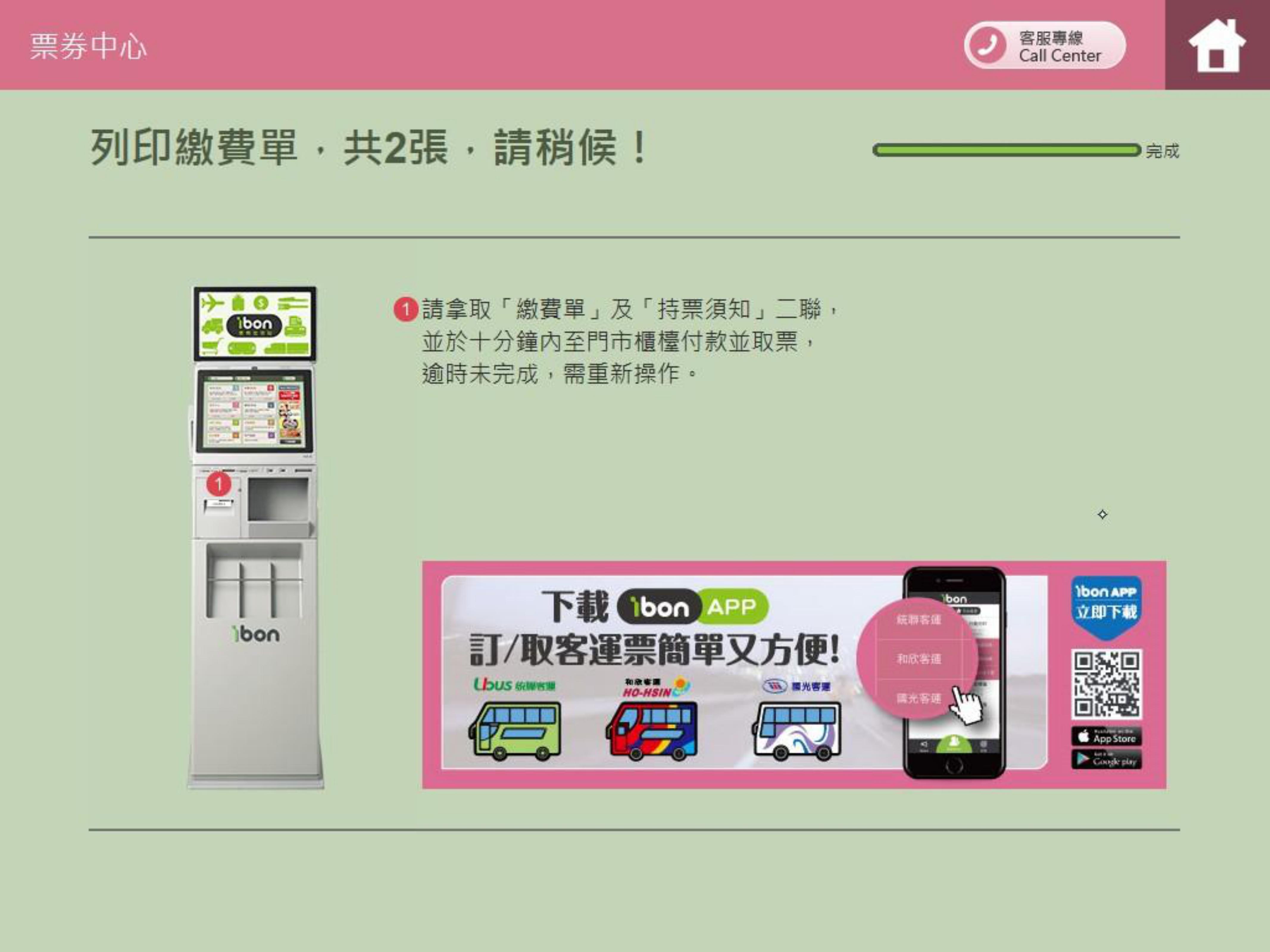
步驟9.列印繳費單並持取票單據至櫃檯領取ibon票券
Step 9.Print the payment bill and take it to cashier counter and accept the tickets
-
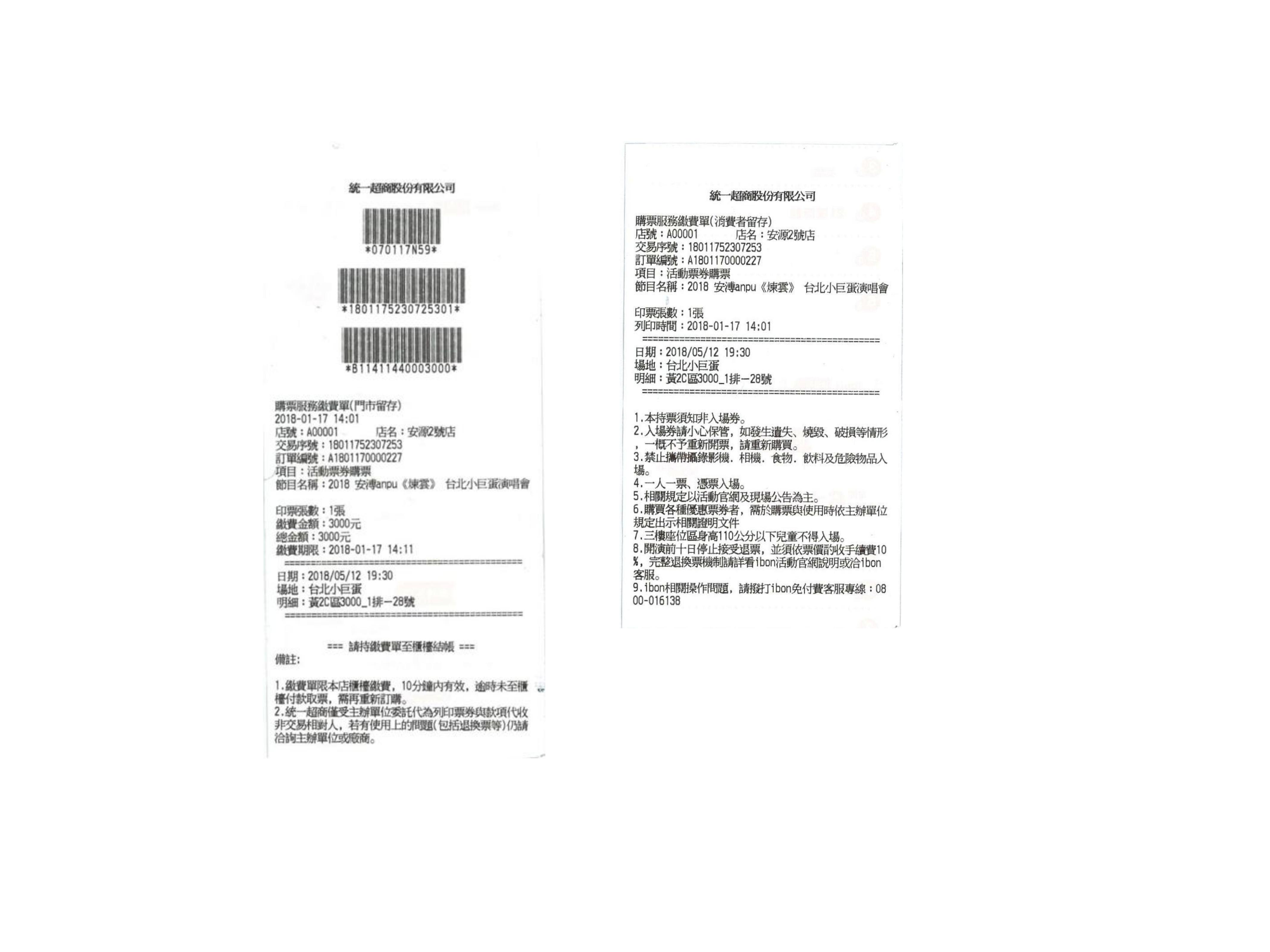
繳費單及持票須知樣張
Sample of payment bill
-
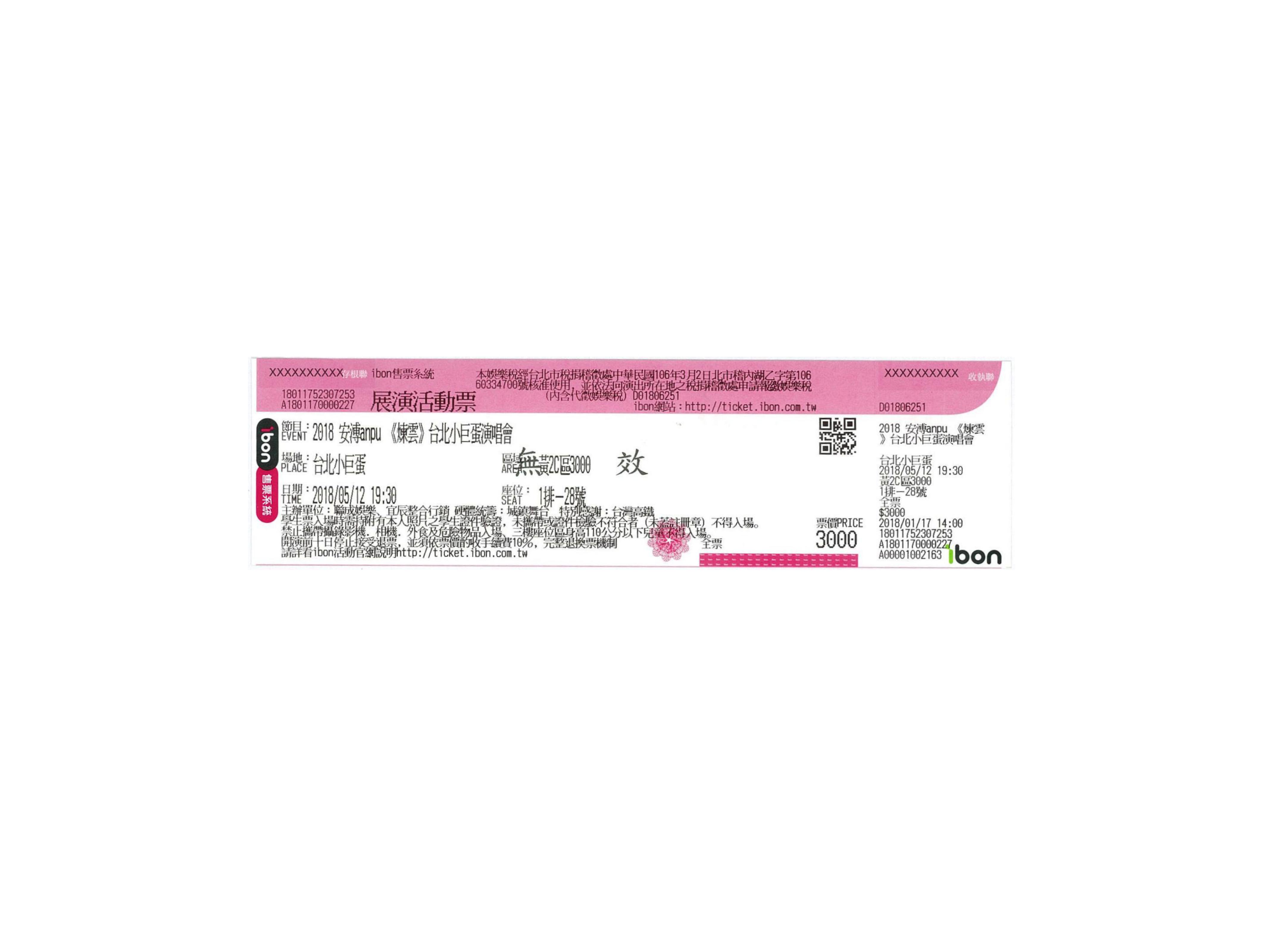
票券樣張
Sample of ticket