【《搖滾芭比》HEDWIG AND THE ANGRY INCH 台北場】ibon 網站購票流程
購/取票流程僅供參考,不代表實際購買情況
-
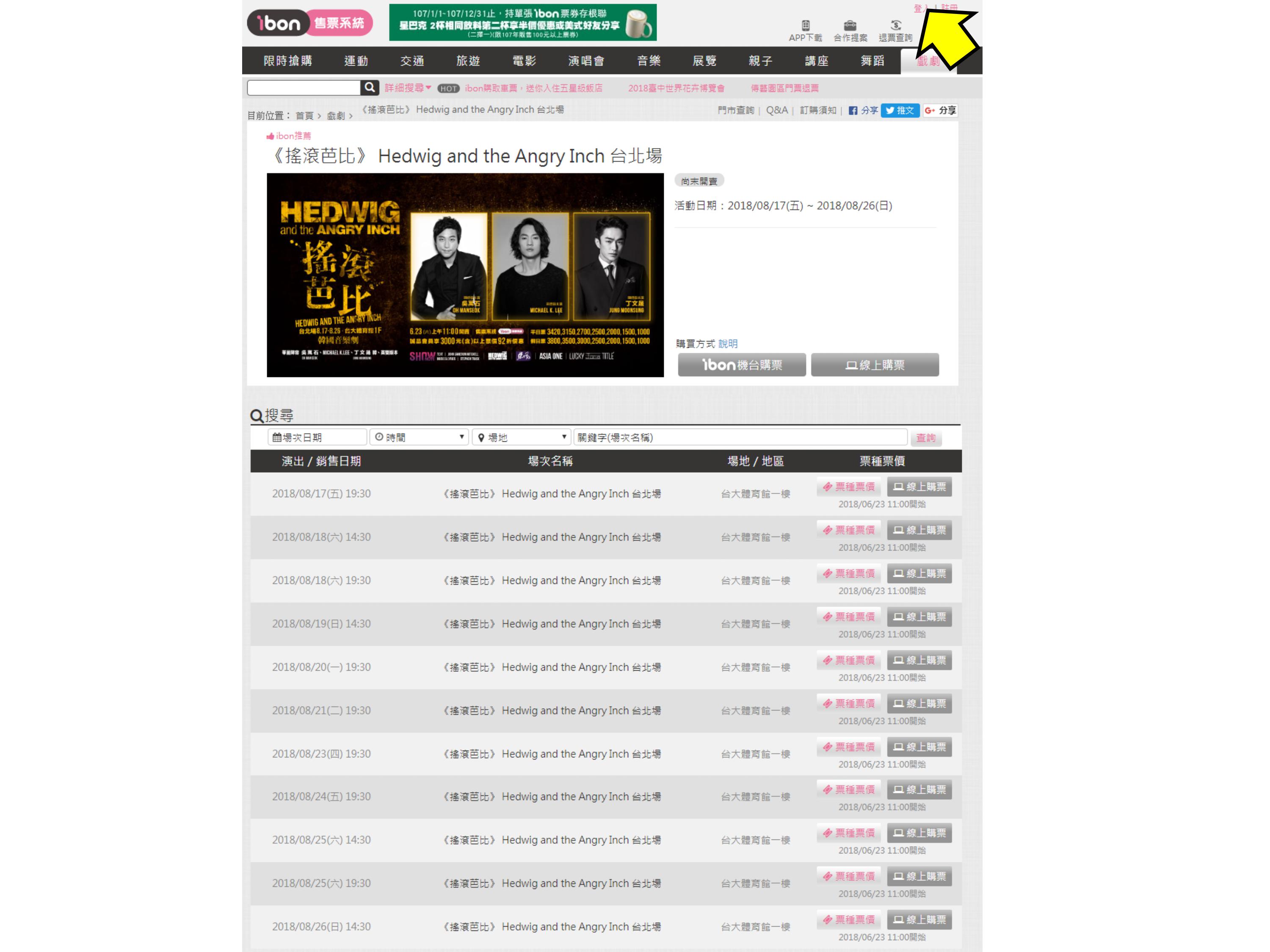
步驟1.點選【先加入或登錄ibon mart會員】
Step 1.Click【Sign up or log into your ibon mart account】
-
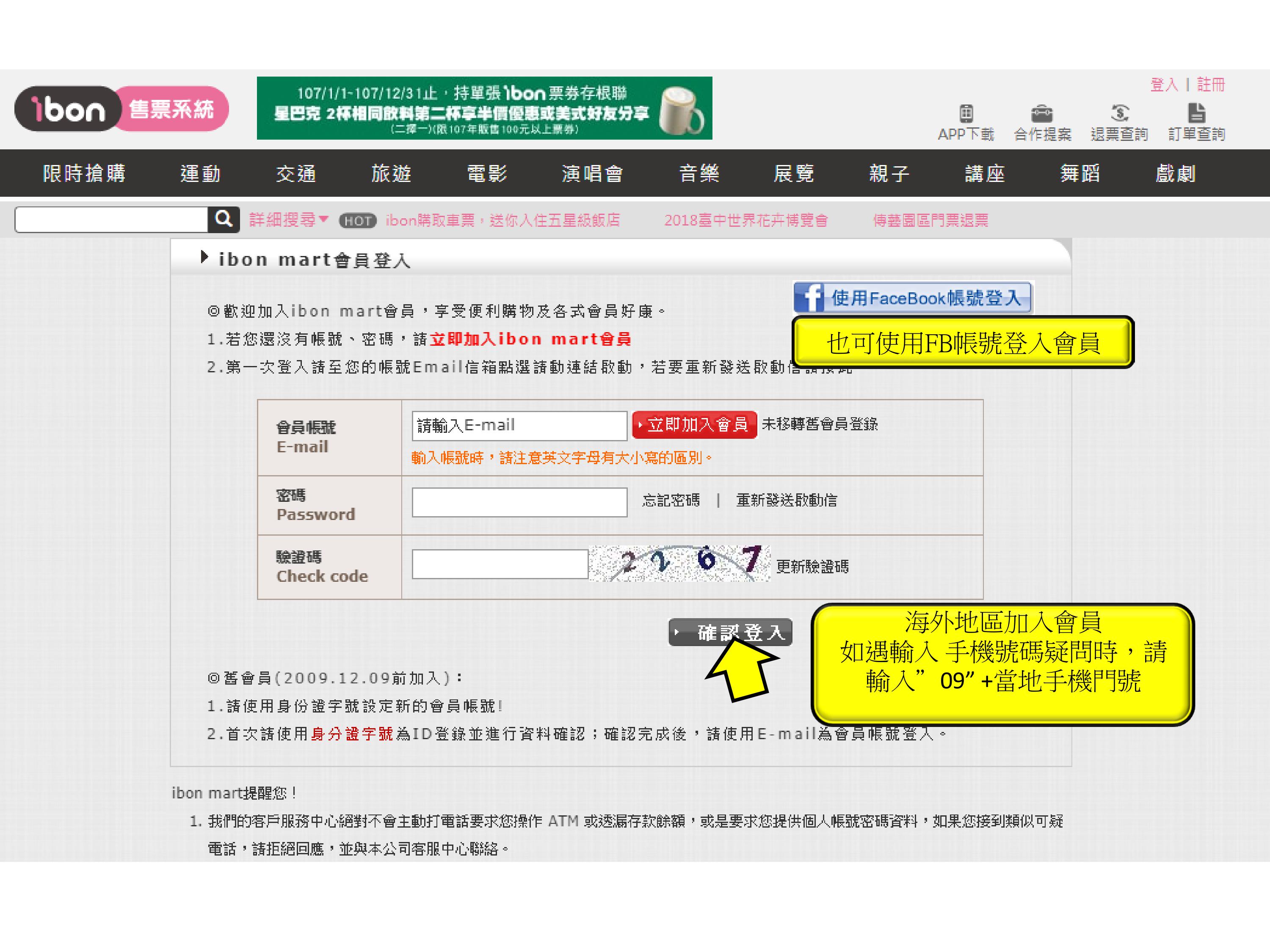
步驟2.點選【登入頁面】
Step 2.Log into your facebook account
-
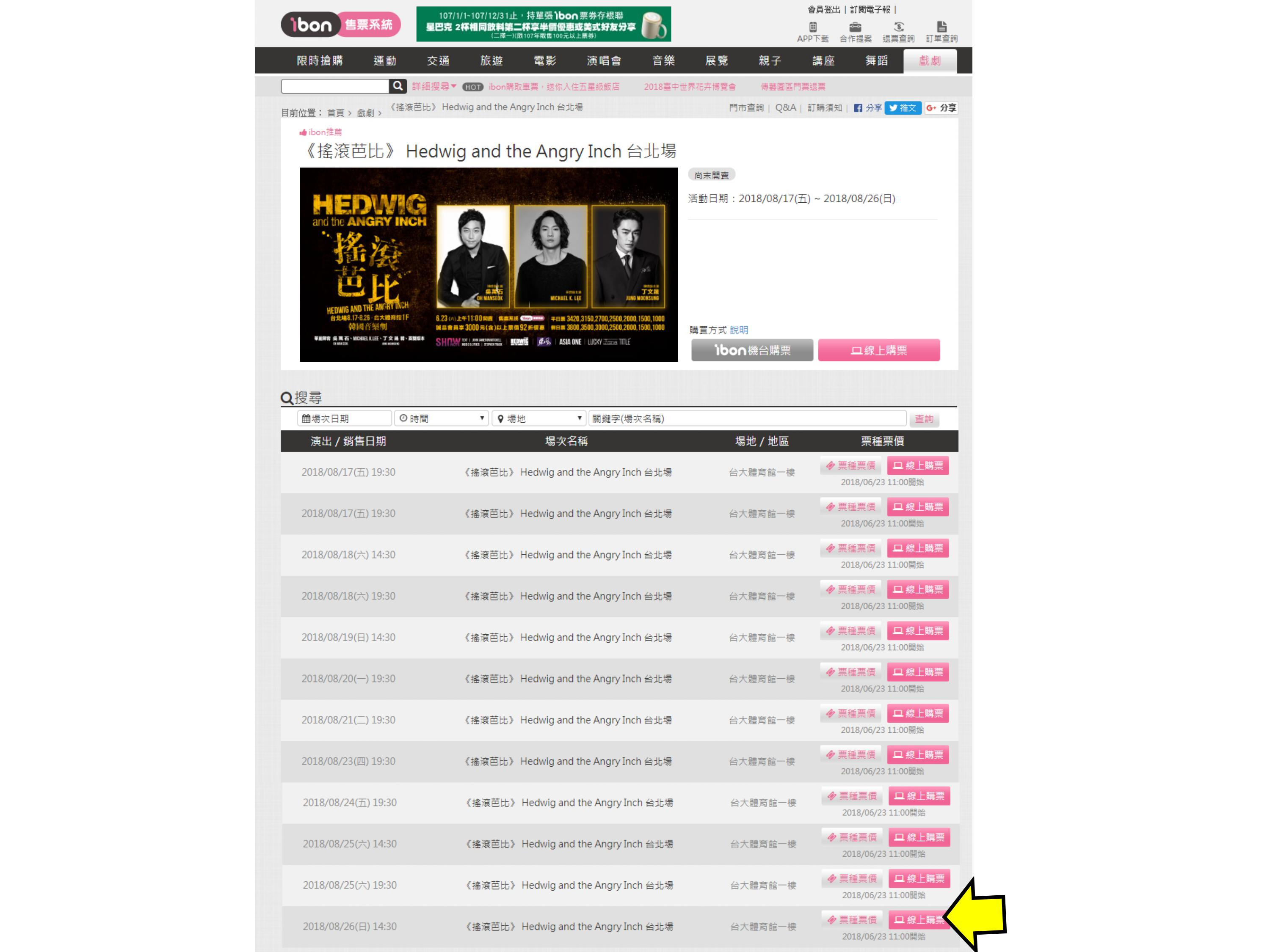
步驟3.點選【選擇時間場次,點選線上購票】
Step 3.Click 【Select the date and sessions and click Online Purchasing】
-
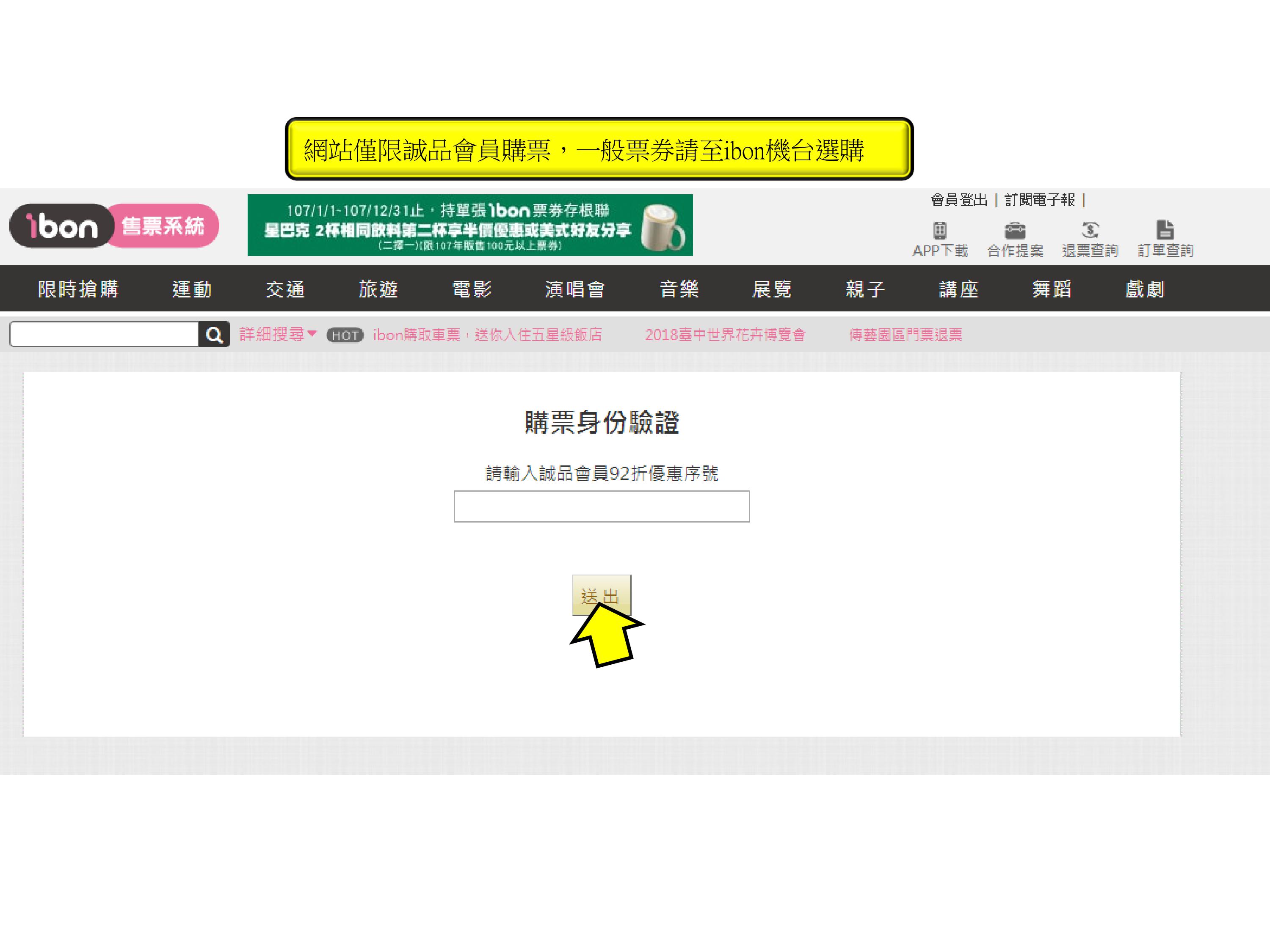
步驟4.回答Q&A
Step 4. Anwser the question
-
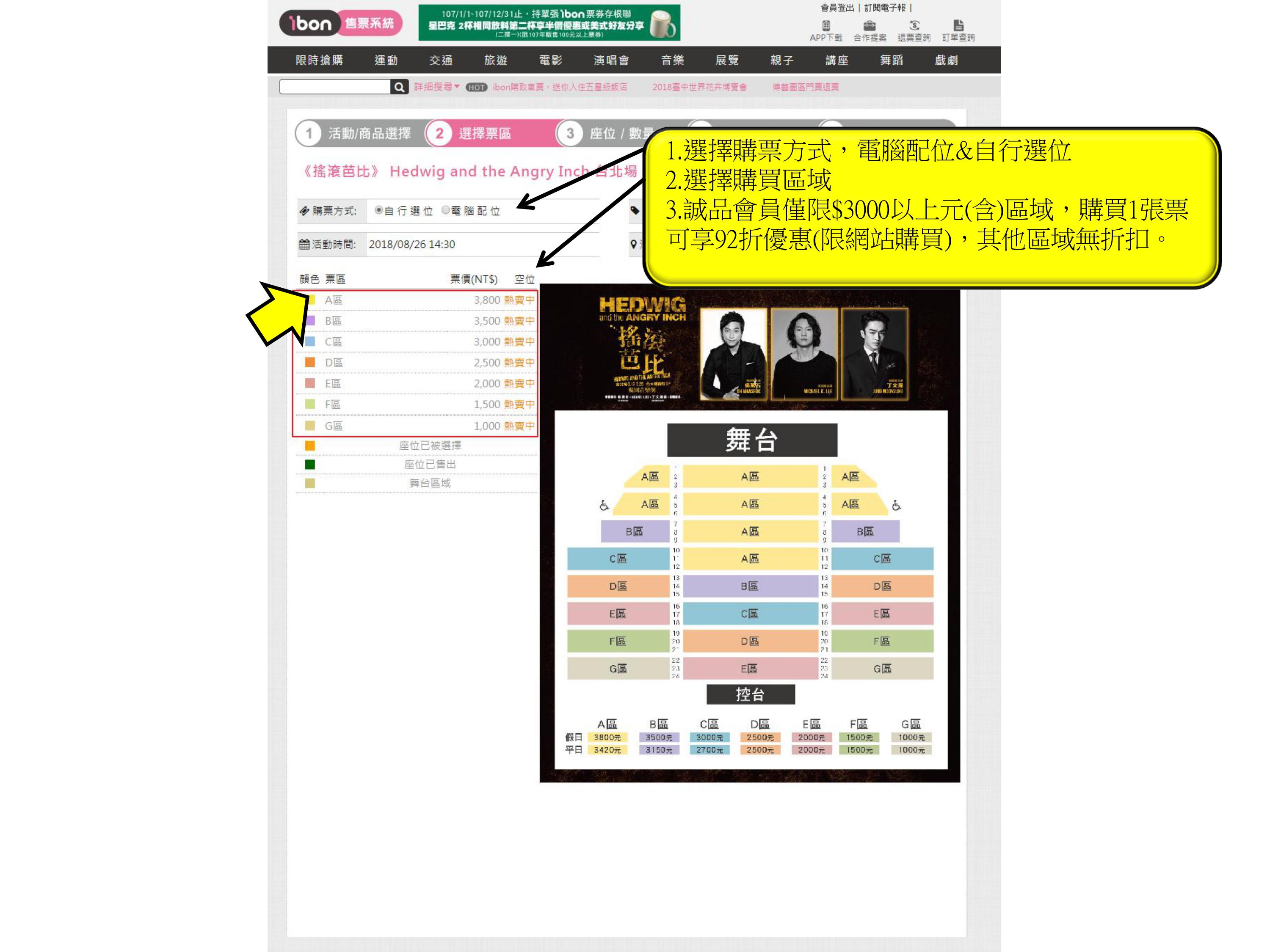
步驟5.點選【購票方式和座位區域】
Step 5.Select the way to buy the ticket and an area.
-
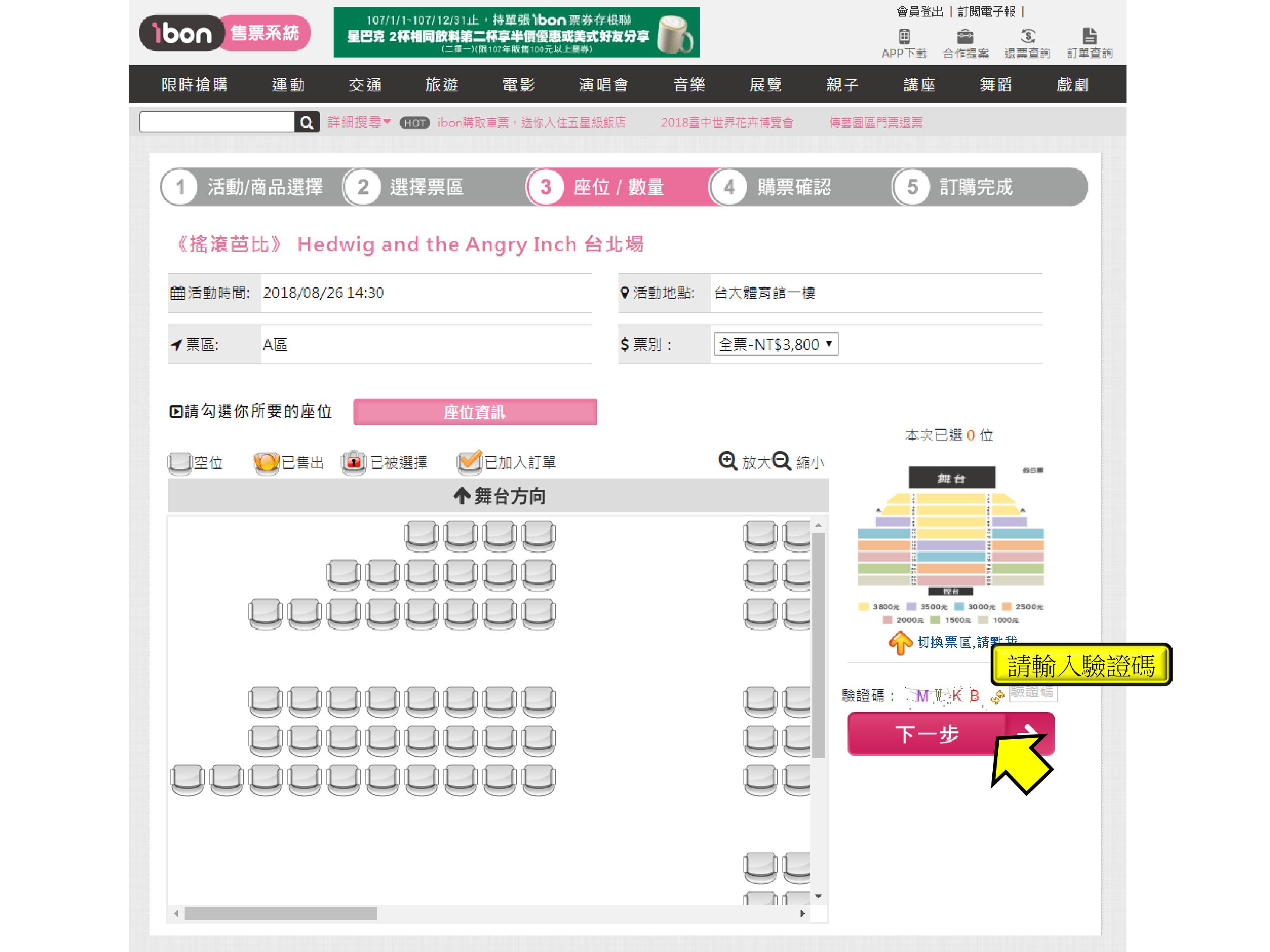
步驟6.點選【選擇座位,上限四張】
Step 6.Select the seat,the limit of number is four
-
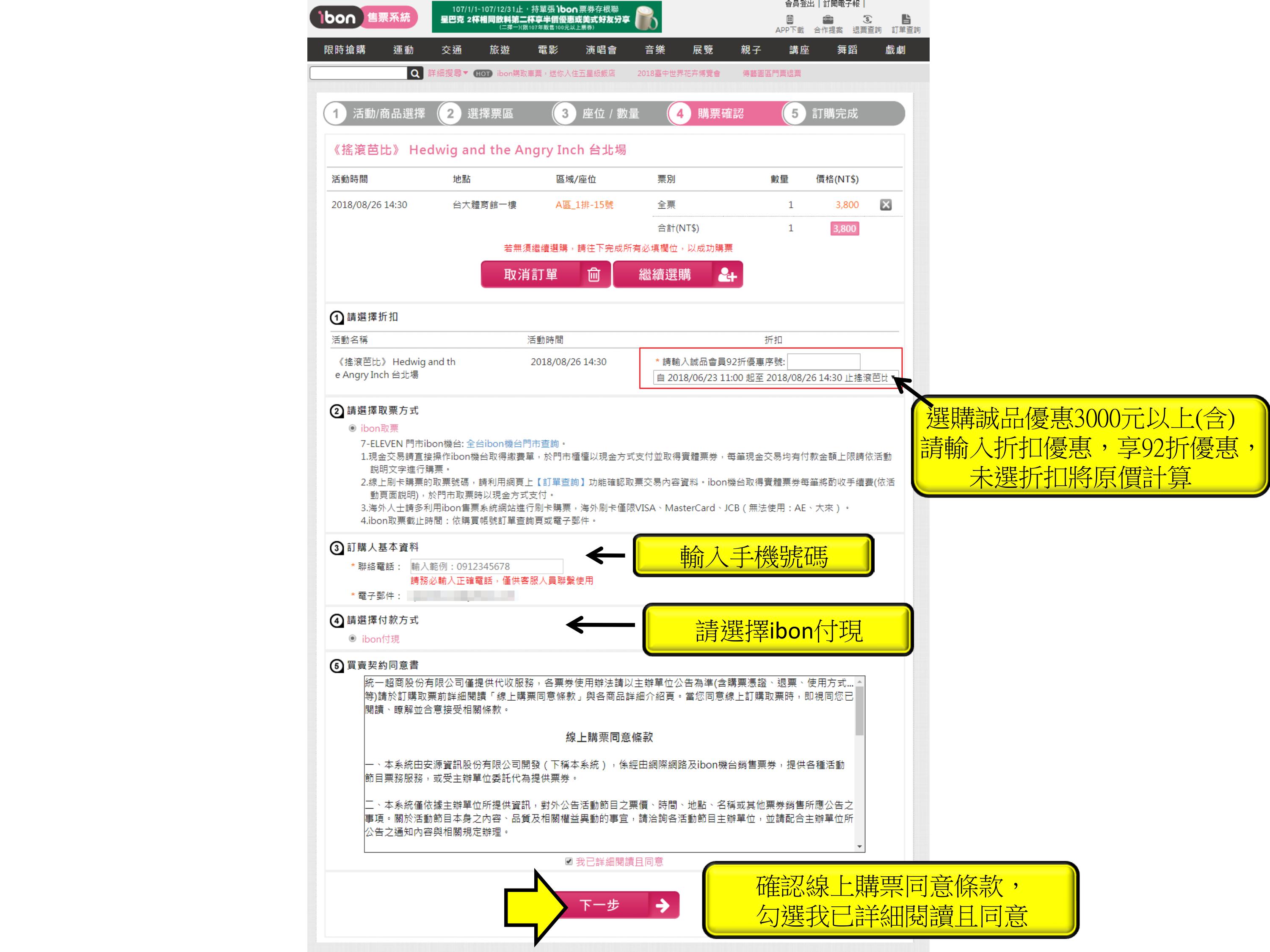
步驟7.確認票種張數、輸入手機、付款方式,點選下一步
Step 7.Confirm number of tickets、enter your cell phone number、payment method
and click next step. If you buy the area above NT$3000, you can enter the eslite
discount code.
-
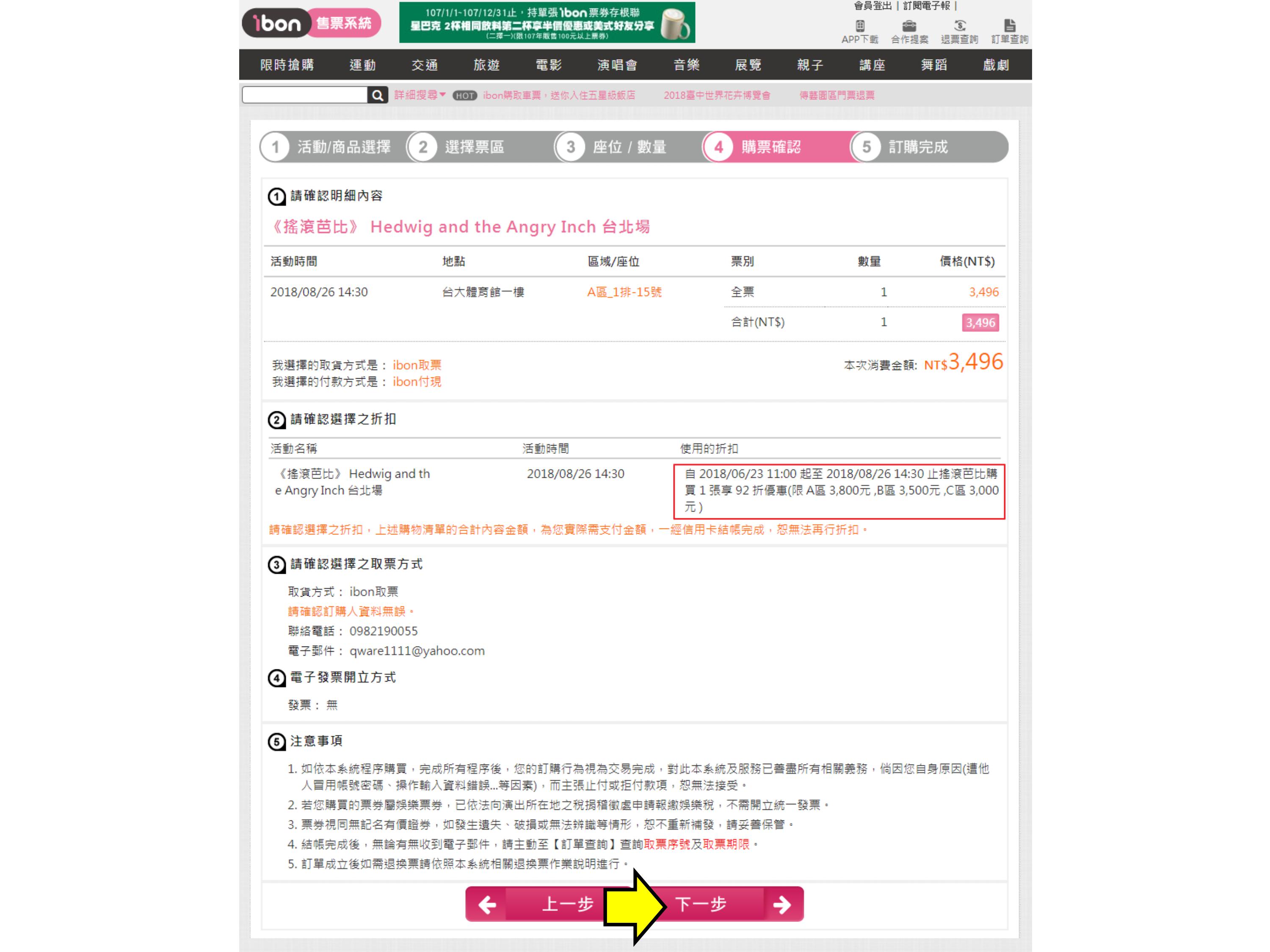
步驟8.確認票種張數、付款方式,點選結帳
Step 8.Confirm number of tickets、payment method and click next step
-
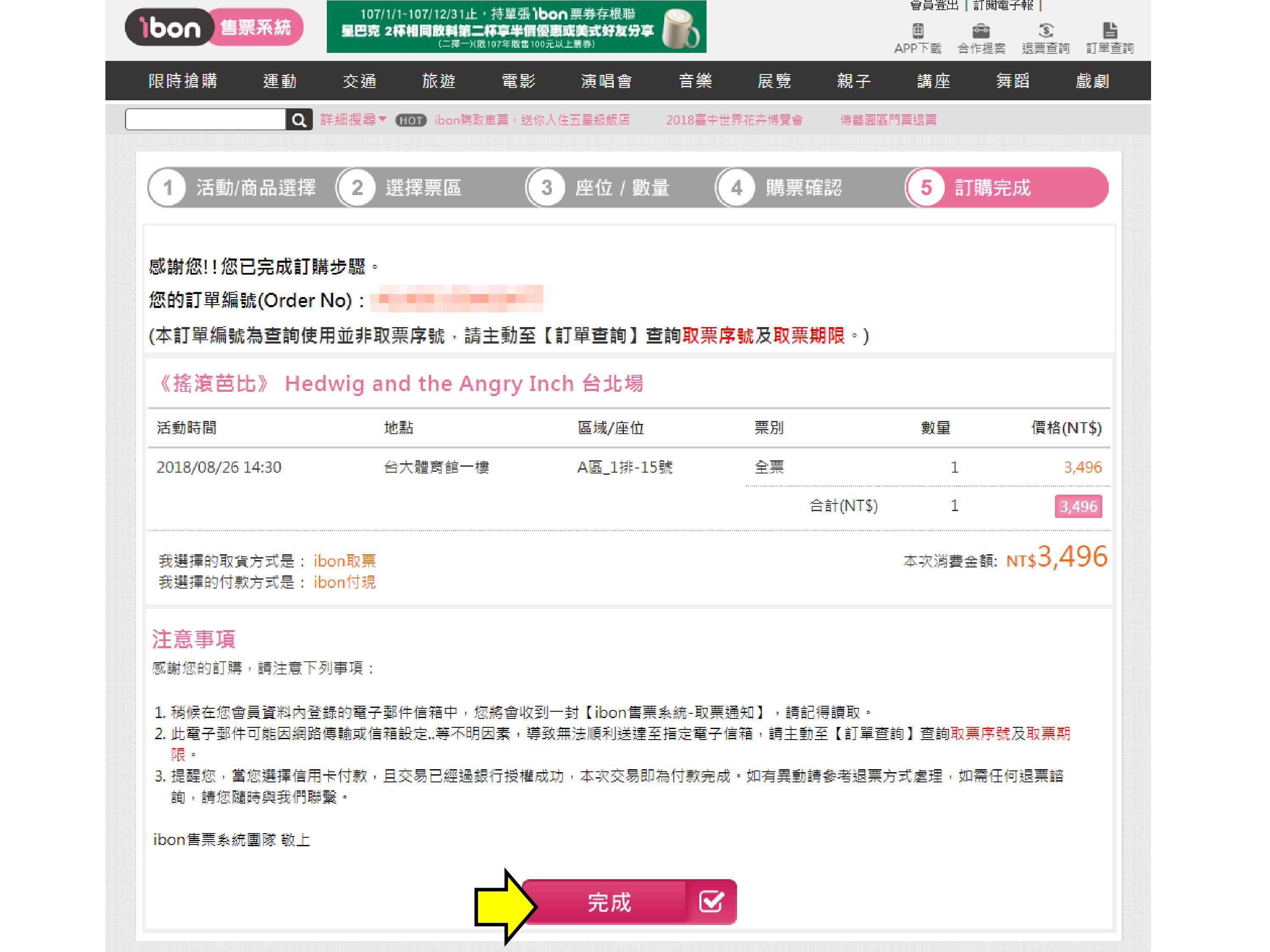
步驟9.結帳成功即出示此畫面並點選完成
Step 9.If checkout success and it will show this page then click finish
-
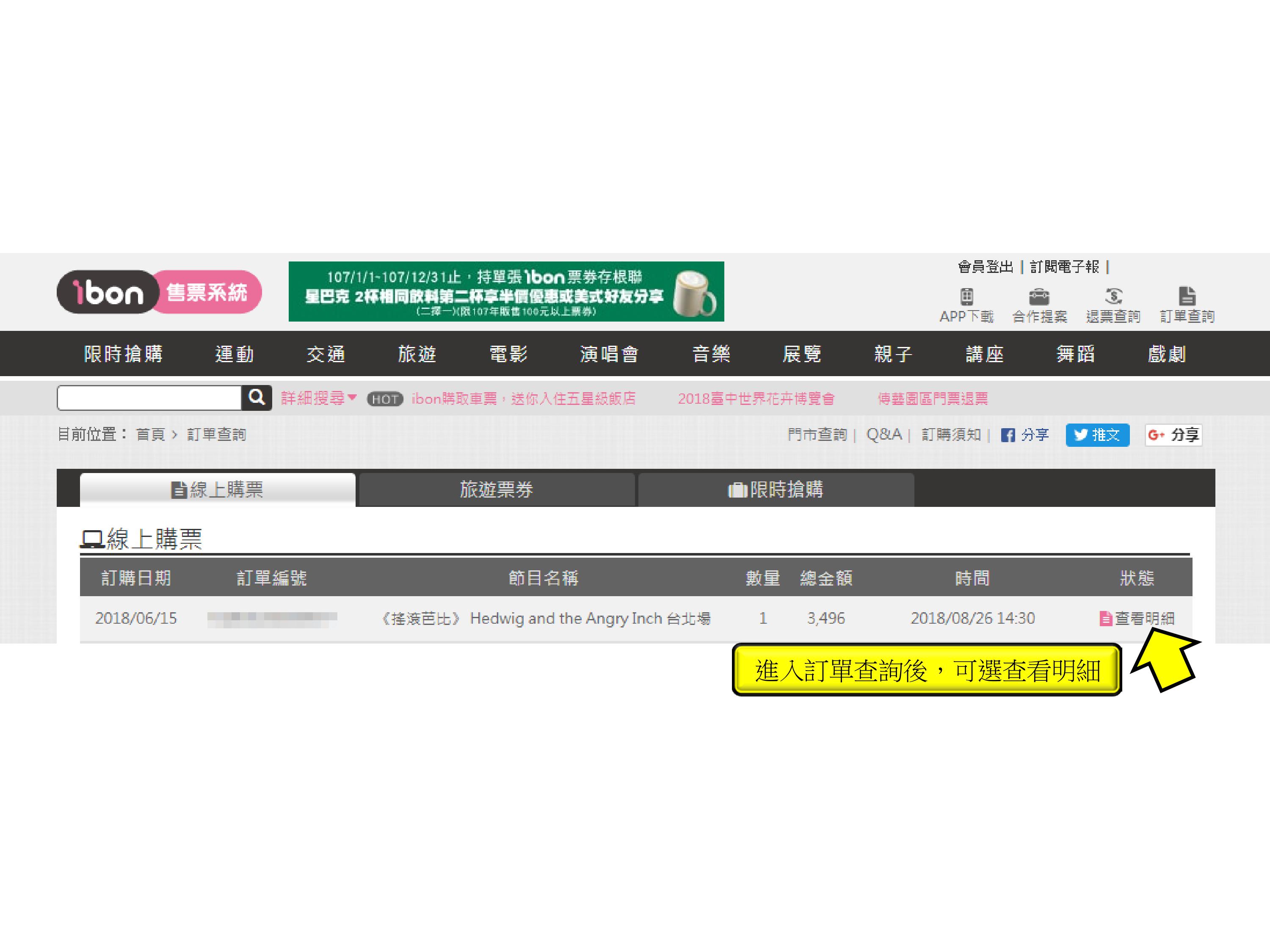
步驟10.回到訂單查詢點選「查看明細」
Step 10.Back to order history and click View Details
-
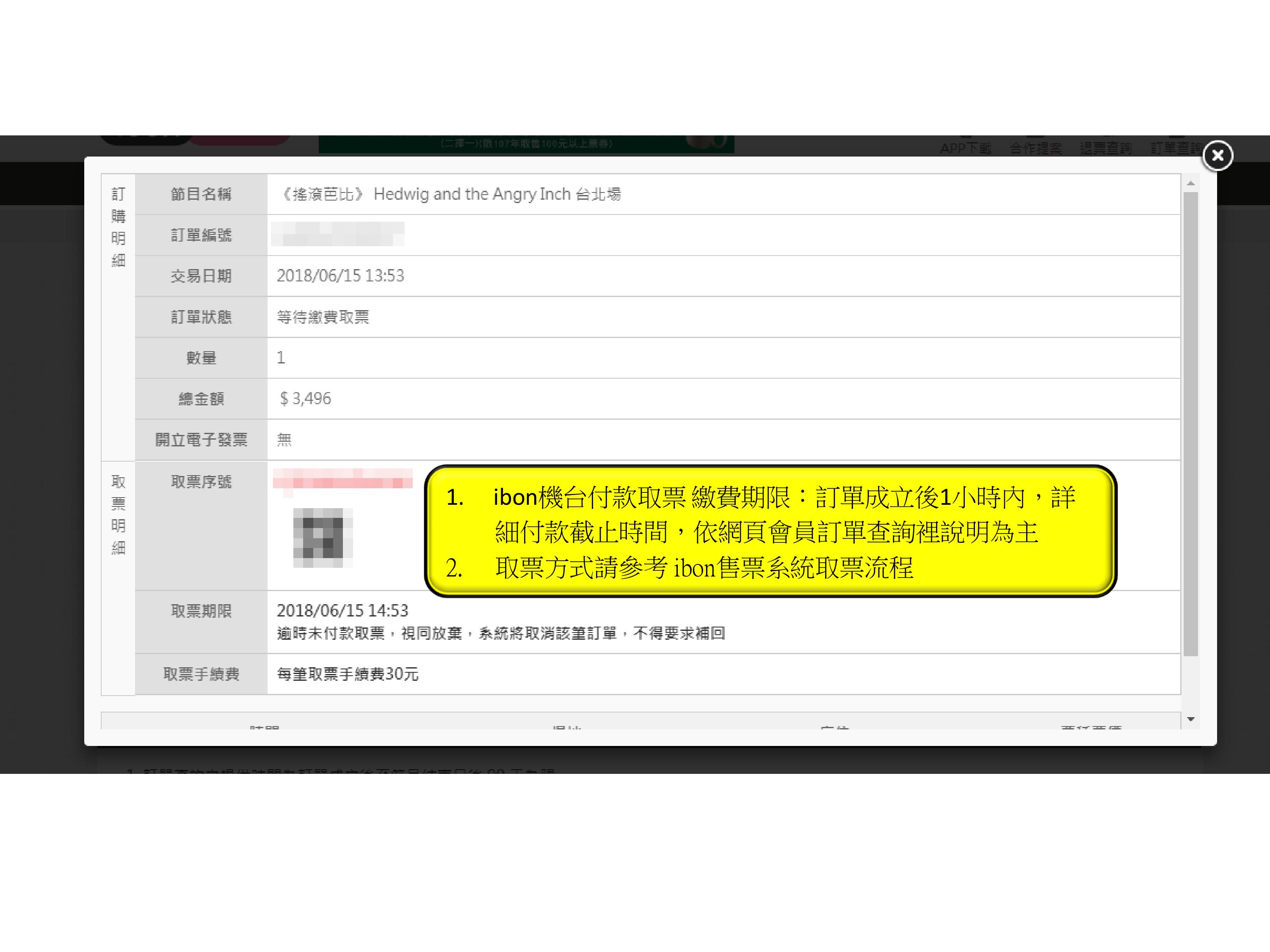
步驟11.取得「取票序號」及「QR code」至ibon機台取票
Step 11.Take 「Ticket Serial Number」 and 「QR code」to ibon machine to
get the ticket in one hour.