【MARK TUAN ‵The Other Side′ ASIA TOUR IN TAIWAN 2023 - PACKAGE】ibon 網站購票流程
購/取票流程僅供參考,不代表實際購買情況
-
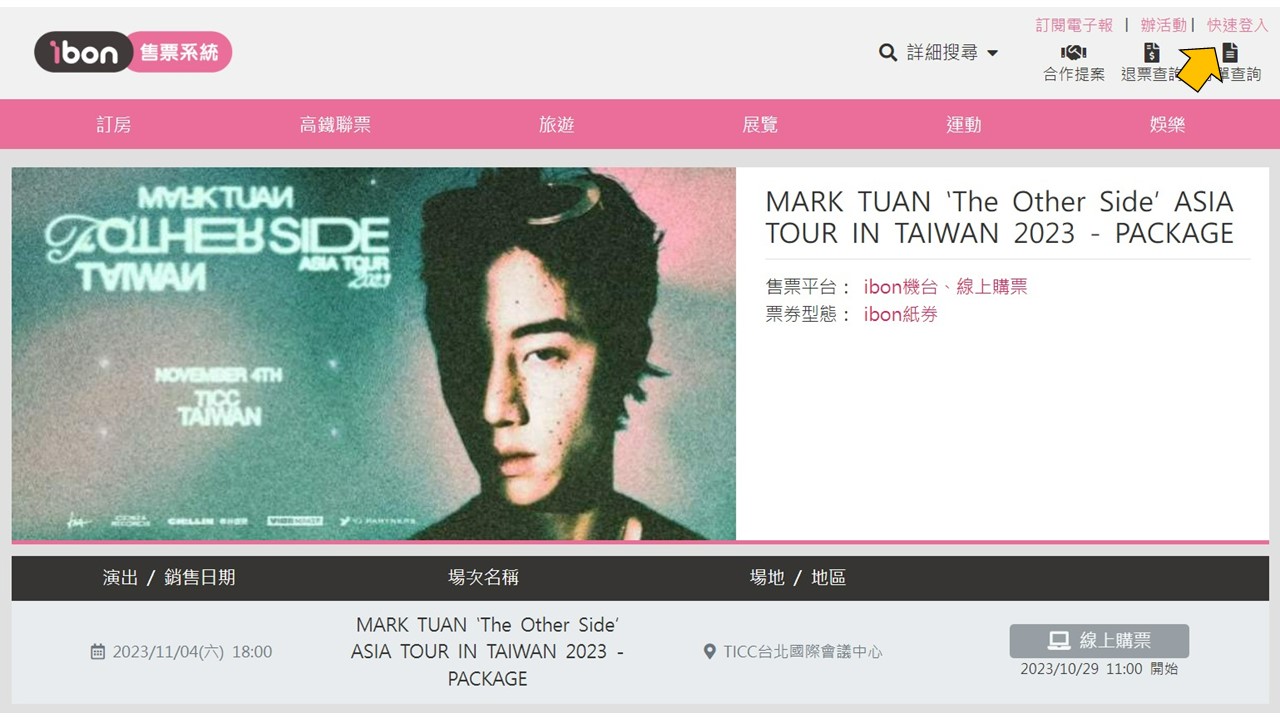
步驟1.點選【先加入或登錄ibon mart會員】
Step 1.Click【Sign up or log into your ibon account】
-
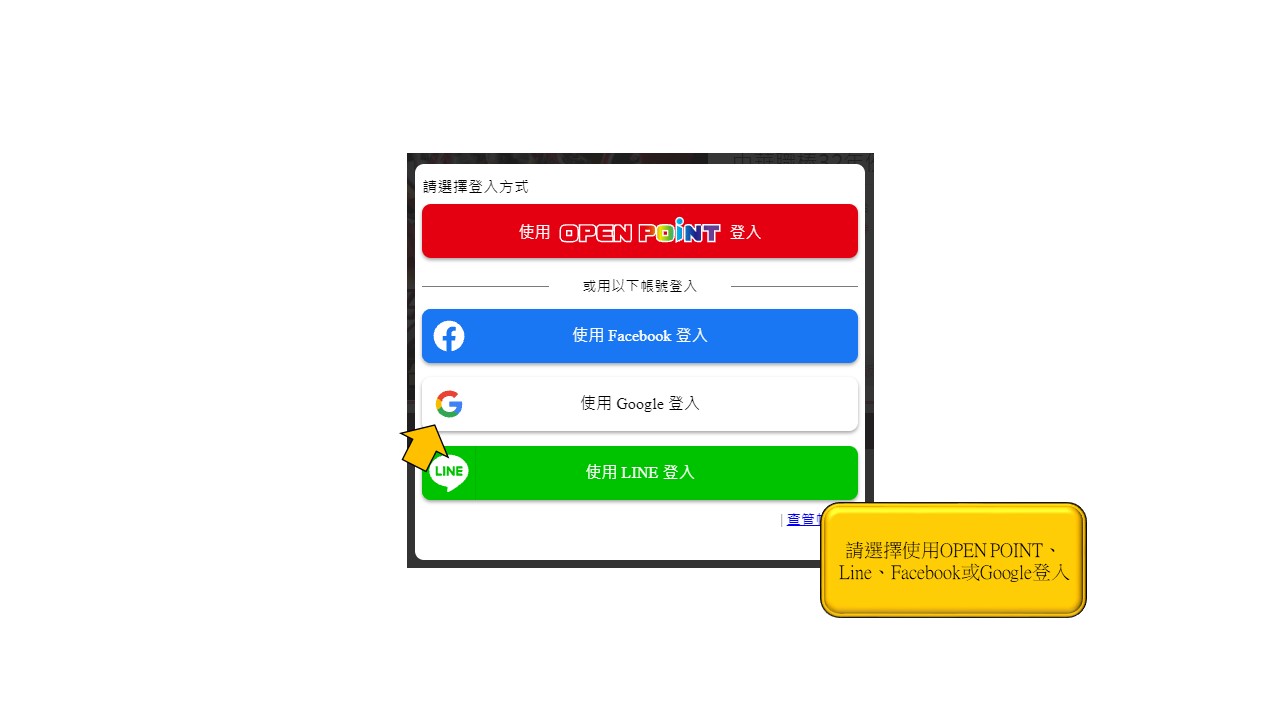
步驟2.點選【登入頁面】
Step 2.Log in with your LINE、Facebook or Google account
-
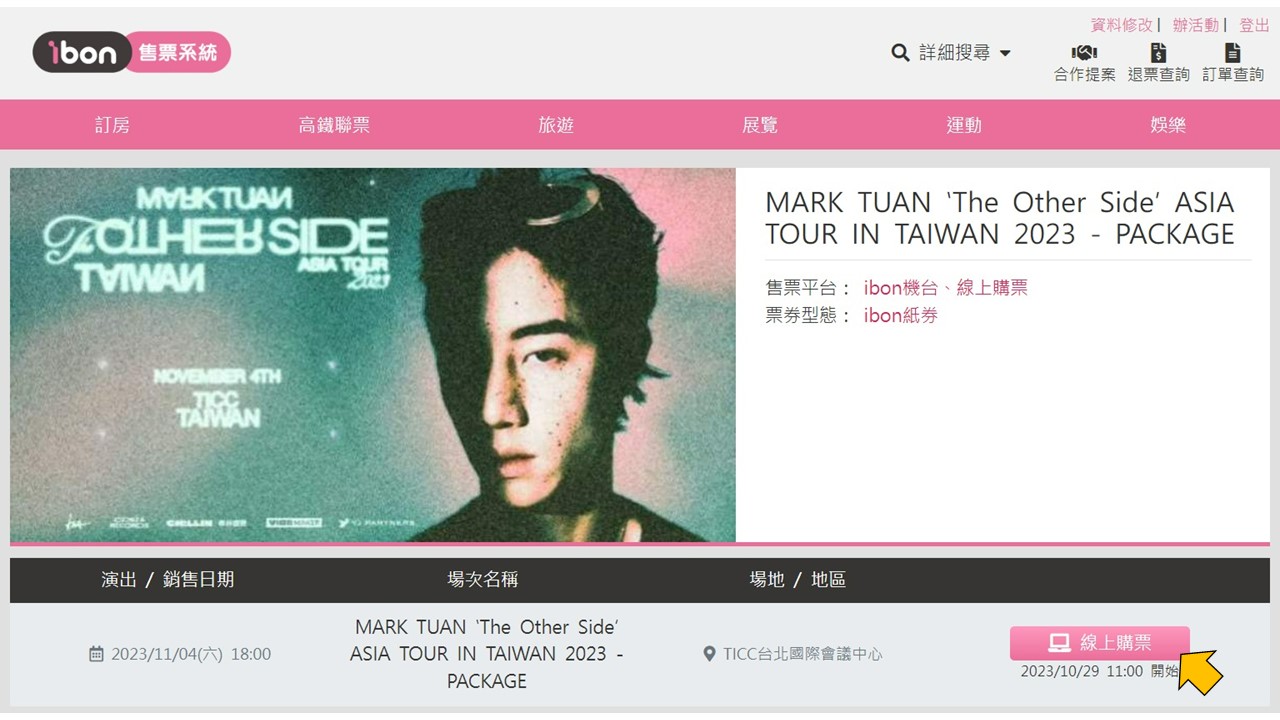
步驟3.點選【選擇時間場次,點選線上購票】
Step 3.Select the date/ sessions and click on Online Purchase button
-
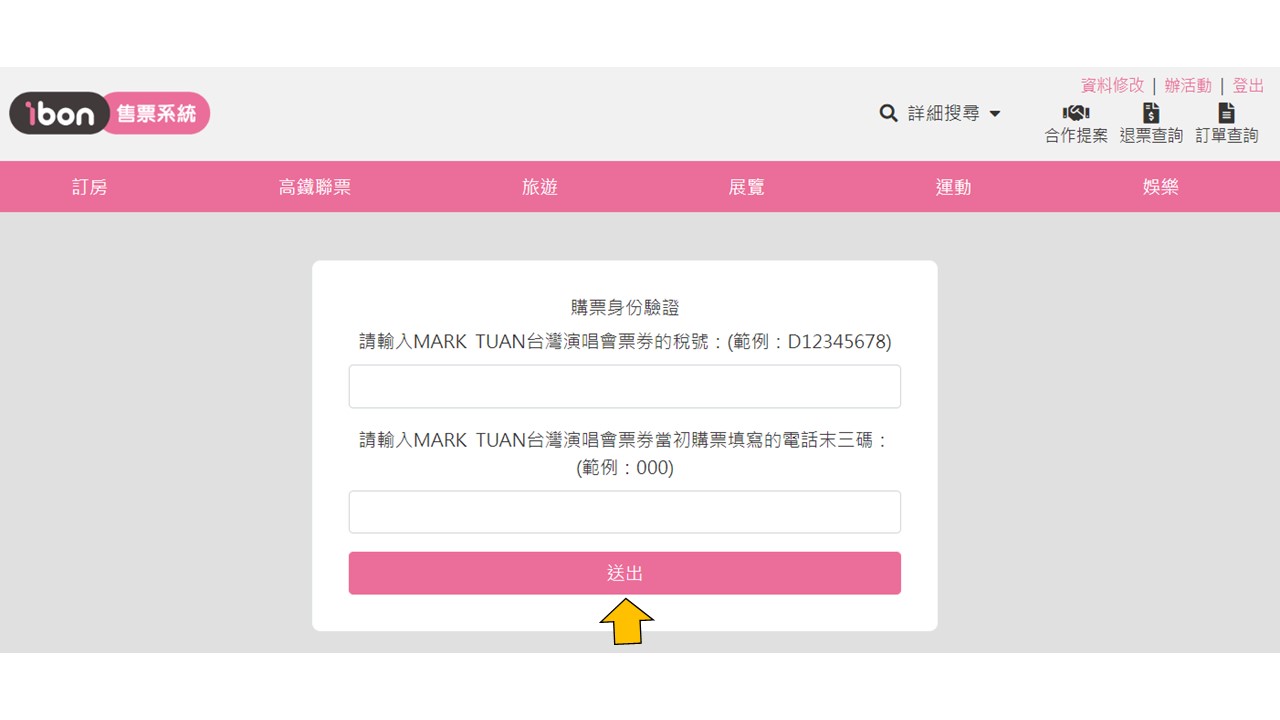
步驟4.輸入對應的票券的稅號及電話末三碼
Step 4.enter the tax number and the last three digits of phone which fit with the ticket
-
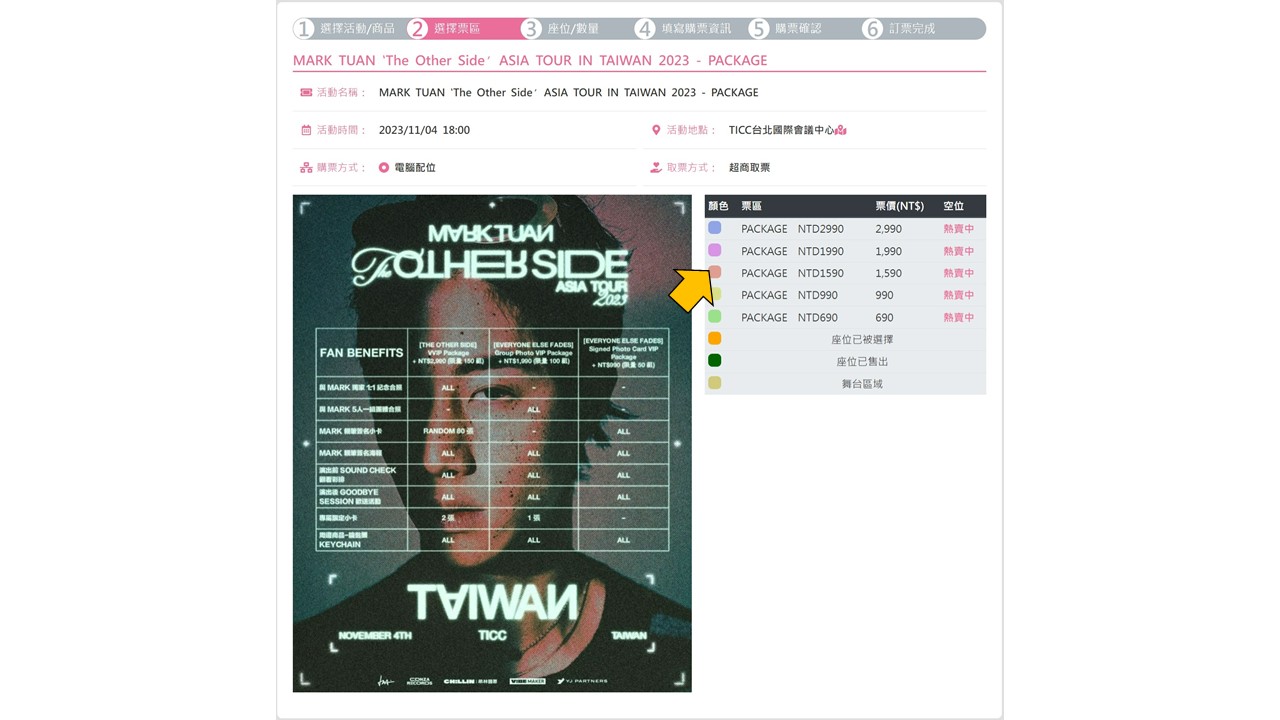
步驟5.點選【區域】
Step 5.Select the area you want to purchase
-
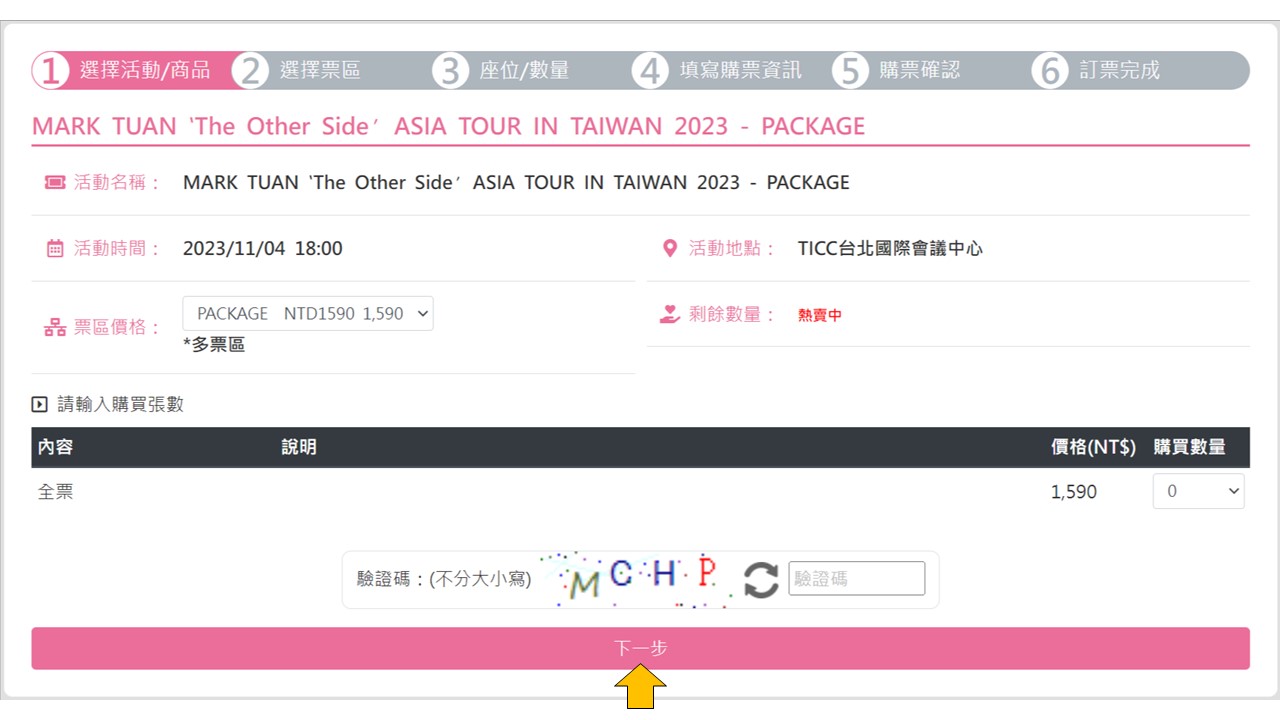
步驟6.點選【選擇張數,上限一張】
Step 6.Select the quantity of tickets〈up to 1 tickets per order〉
-
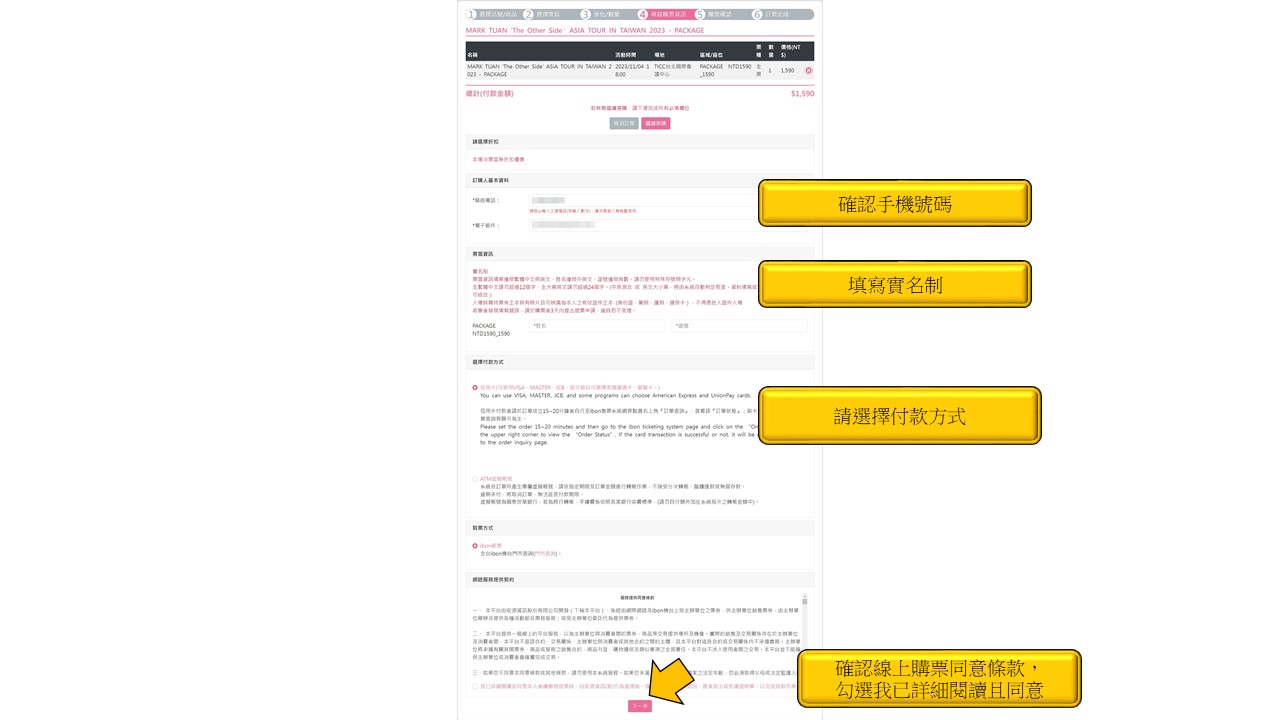
步驟7.確認票種張數、輸入手機、填寫實名制、付款方式,點選下一步
Step 7.Confirm the ticket quantity, enter your cell phone number, enter your name, passport
number and choose your payment method, read and agree on the terms and click next step.
-
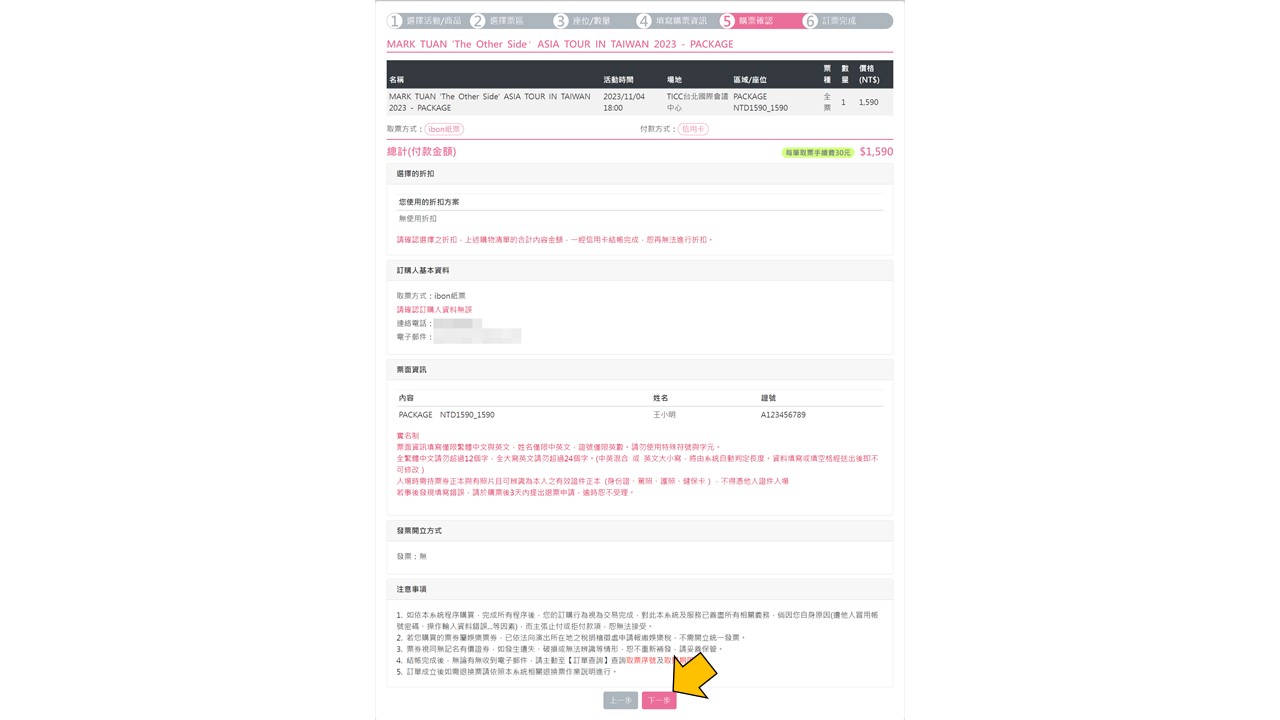
步驟8.確認票種張數、付款方式,點選結帳
Step 8.Confirm the ticket quantity, payment method and click next step
-
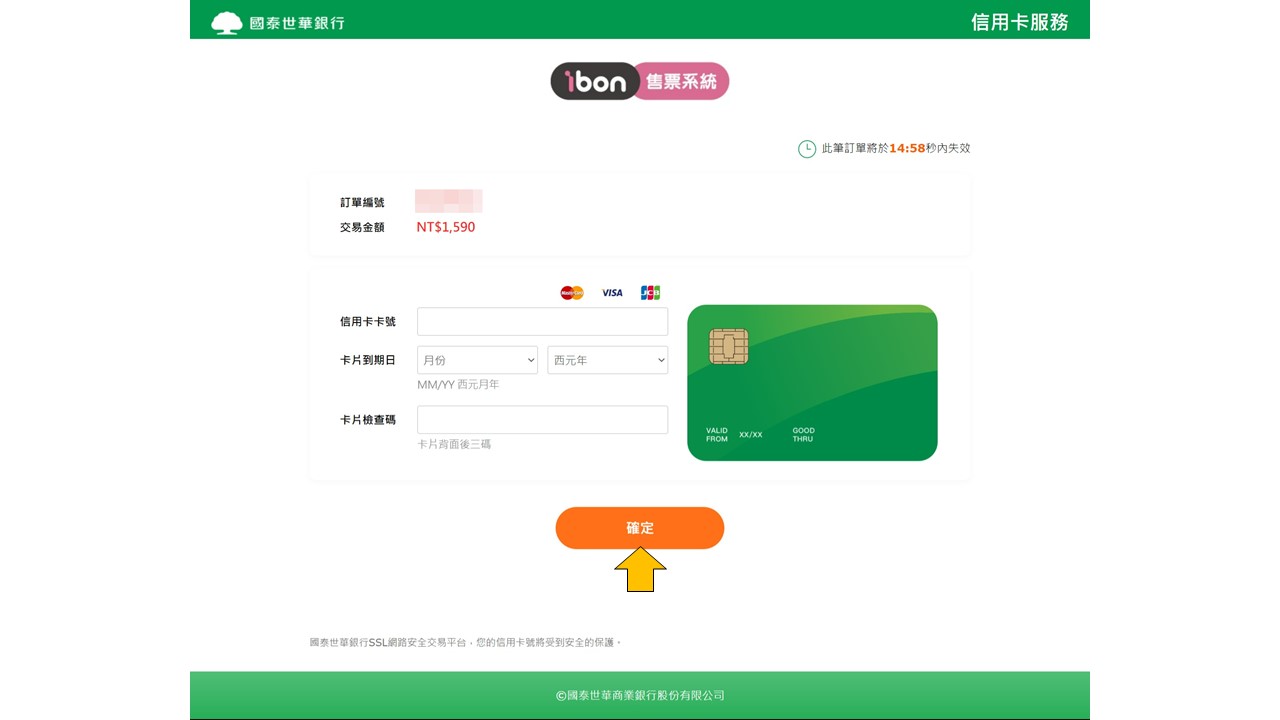
步驟9.輸入卡號後送出
Step 9.Enter your credit card info and click on the Send Out button
-
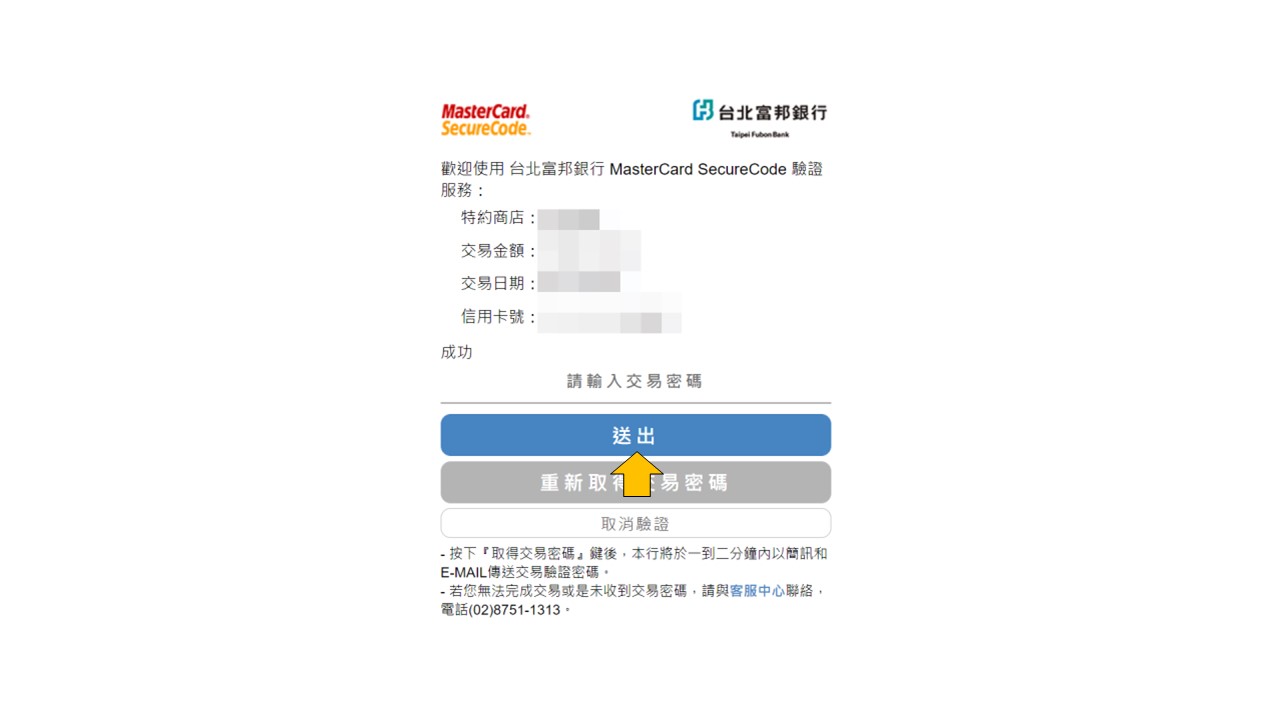
步驟10.若信用卡為3D驗證,則出現驗證頁面
Step 10.If the credit card is 3D secured, you will be directed to the verify
page. Please enter the code you received and click on the Send Out button
-
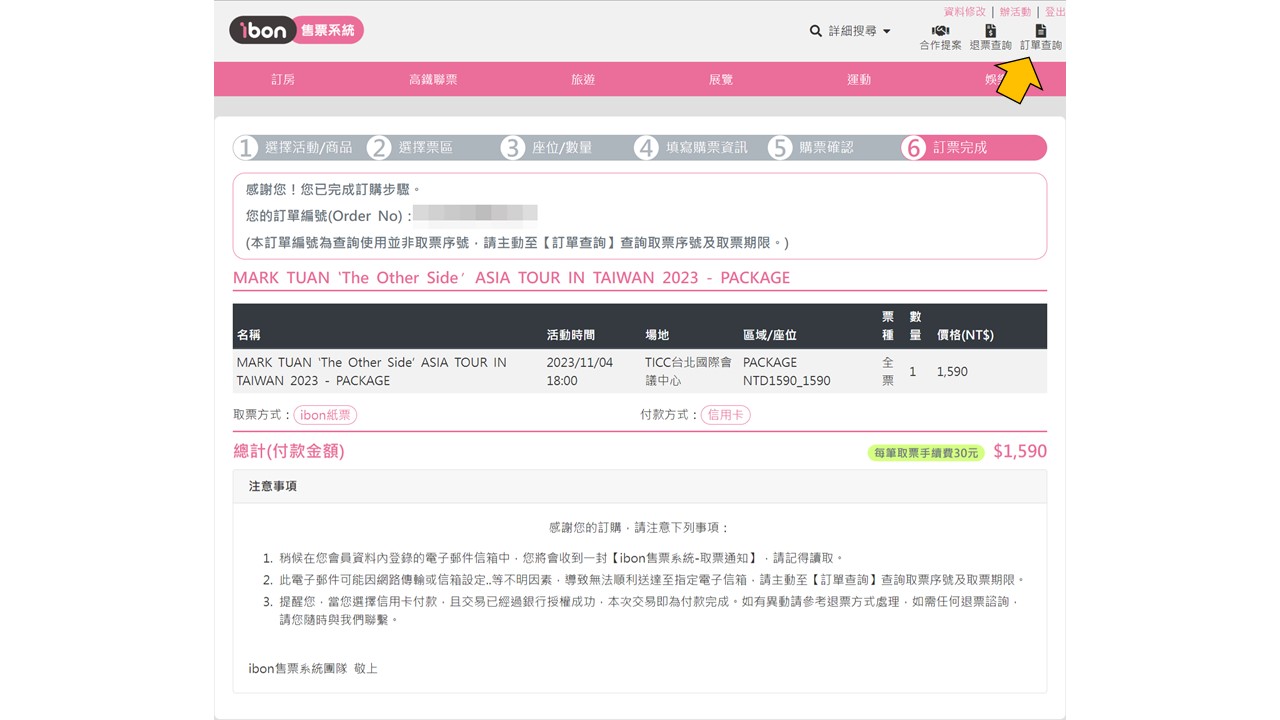
步驟11.刷卡成功即出示此畫面並點選訂單查詢去查看取票序號
Step 11.If the transcation is complete, you will see the confirm page like
below and you can click finish to check your order details.
-
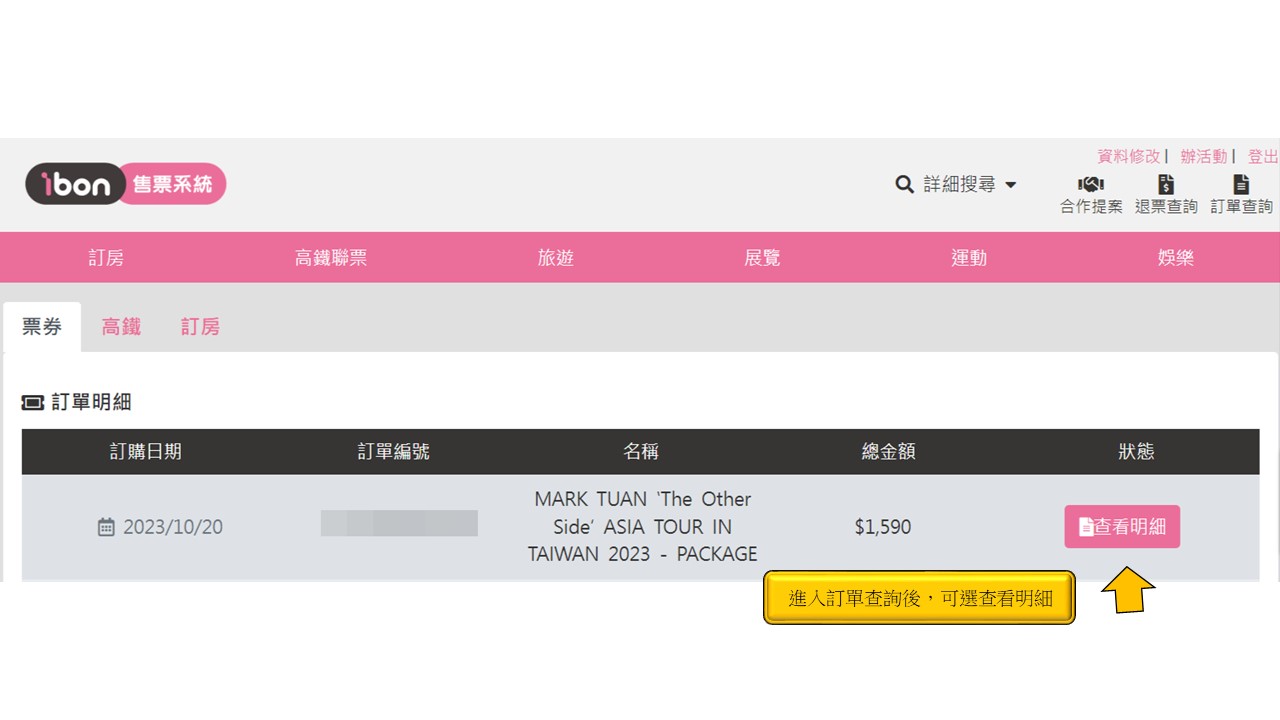
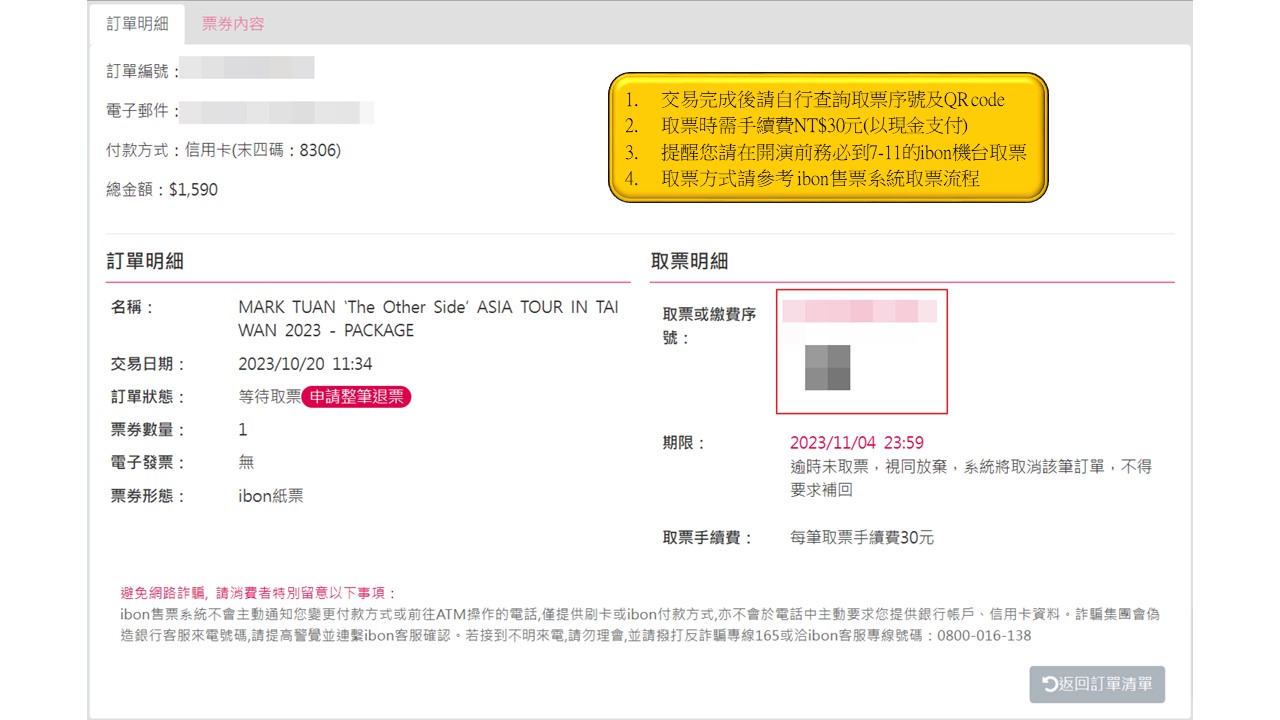
步驟12.回到訂單查詢點選「查看明細」
Step 12.Back to order history and click View Details
-
步驟13.取得「取票序號」及「QR code」至ibon機台取票
Step 13.Please take "Ticket Serial Number" or "QR Code"to any ibon kiosk
at 7-11 to collect tickets. You must collect the tickets from any ibon kiosk
in 7-11 before the show starts.